


🚀 Quick Start
- Prerequisites
- Get the code
- Install dependencies
- Configure the project
- Run the project
💬 Wechat MP Account
- Register a new Wechat MP
- Get the MP APP ID and APP Secret
- Add a team member
- Fill in MP basic information
- Select MP categories
- MP Account Verification
- File for ICP
- Set up Customer Service Chat
- Link Official Account
🎨 Customization
- Theme and CSS Setup
- Create new pages
- Add new components
💳 Wechat Payment
- Setup a Wechat Pay account
- Connect your Wechat Pay to your MP
- Connect your Wechat Pay to your MINAPP account
🔄 Publishing
- When to publish your MP
- Push your code to Tencent
- Test your MP's beta version
- Publish your MP to Tencent
📚 Resources
- Learning Plans
- Tutorials
- FAQ
🚀 Quick Start
- Prerequisites
- Get the code
- Install dependencies
- Configure the project
- Run the project
💬 Wechat MP Account
- Register a new Wechat MP
- Get the MP APP ID and APP Secret
- Add a team member
- Fill in MP basic information
- Select MP categories
- MP Account Verification
- File for ICP
- Set up Customer Service Chat
- Link Official Account
🎨 Customization
- Theme and CSS Setup
- Create new pages
- Add new components
💳 Wechat Payment
- Setup a Wechat Pay account
- Connect your Wechat Pay to your MP
- Connect your Wechat Pay to your MINAPP account
🔄 Publishing
- When to publish your MP
- Push your code to Tencent
- Test your MP's beta version
- Publish your MP to Tencent
📚 Resources
- Learning Plans
- Tutorials
- FAQ
Database and Backend-as-a-Service
What is BaaS?
BaaS (Backend-as-a-Service) is a cloud computing service model that provides developers with a way to link their applications to backend cloud storage and APIs without building and maintaining the server infrastructure themselves.
We decided to use IFANR (知晓) MINAPP CLOUD's BaaS because it offers a comprehensive and user-friendly platform that simplifies the development and integration process for WeChat Mini Programs. MINAPP also provides different tiers of pricing, starting from a Free plan that is sufficient for many use cases. For those who need more resources, they offer affordable paid tiers to accommodate varying needs.
IFANR (知晓) MINAPP CLOUD's BaaS solution offers:
- Database Management: Store and manage your Mini Program's data in the cloud
- User Authentication: Handle Wechat user login and session management
- File Storage: Upload and serve images, videos, and other files
- Cloud Functions: Write and deploy server-side logic without managing servers
- SDK Integration: Simple SDK integration with minimal setup
Setup a MINAPP CLOUD account
To get started with MINAPP CLOUD, follow these steps to create your account:
- Visit MINAPP CLOUD and click on "Sign Up" (注册).
- You can register using:
- WeChat account (recommended)
- Email address
- Phone number
- After registration, log in to your MINAPP CLOUD dashboard.
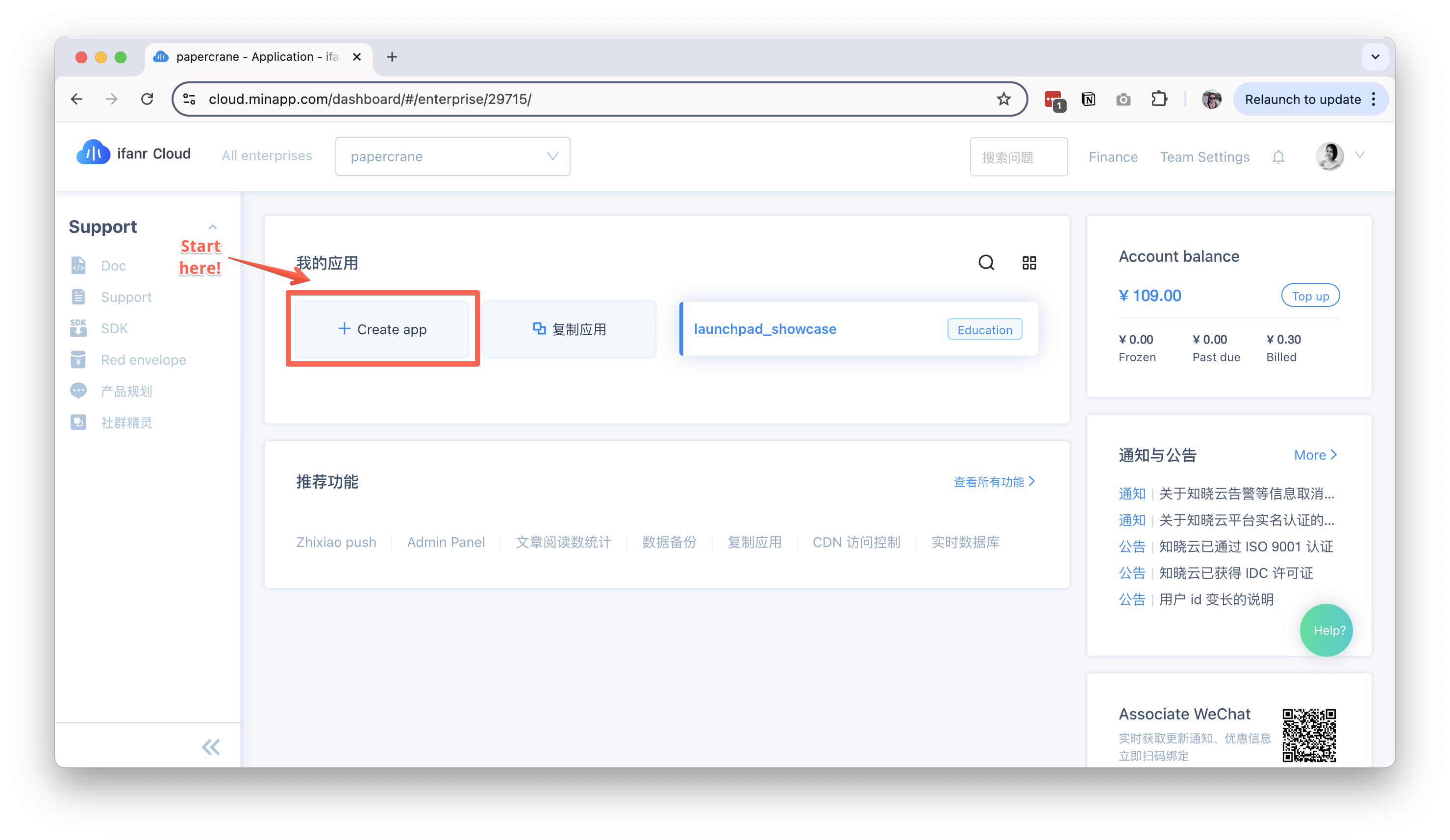
- Create a new application:
- Click "Create App" (创建应用) on the dashboard
- Enter your application name
- Choose the pricing tier for this project (you can start with Free, and always upgrade in the future)
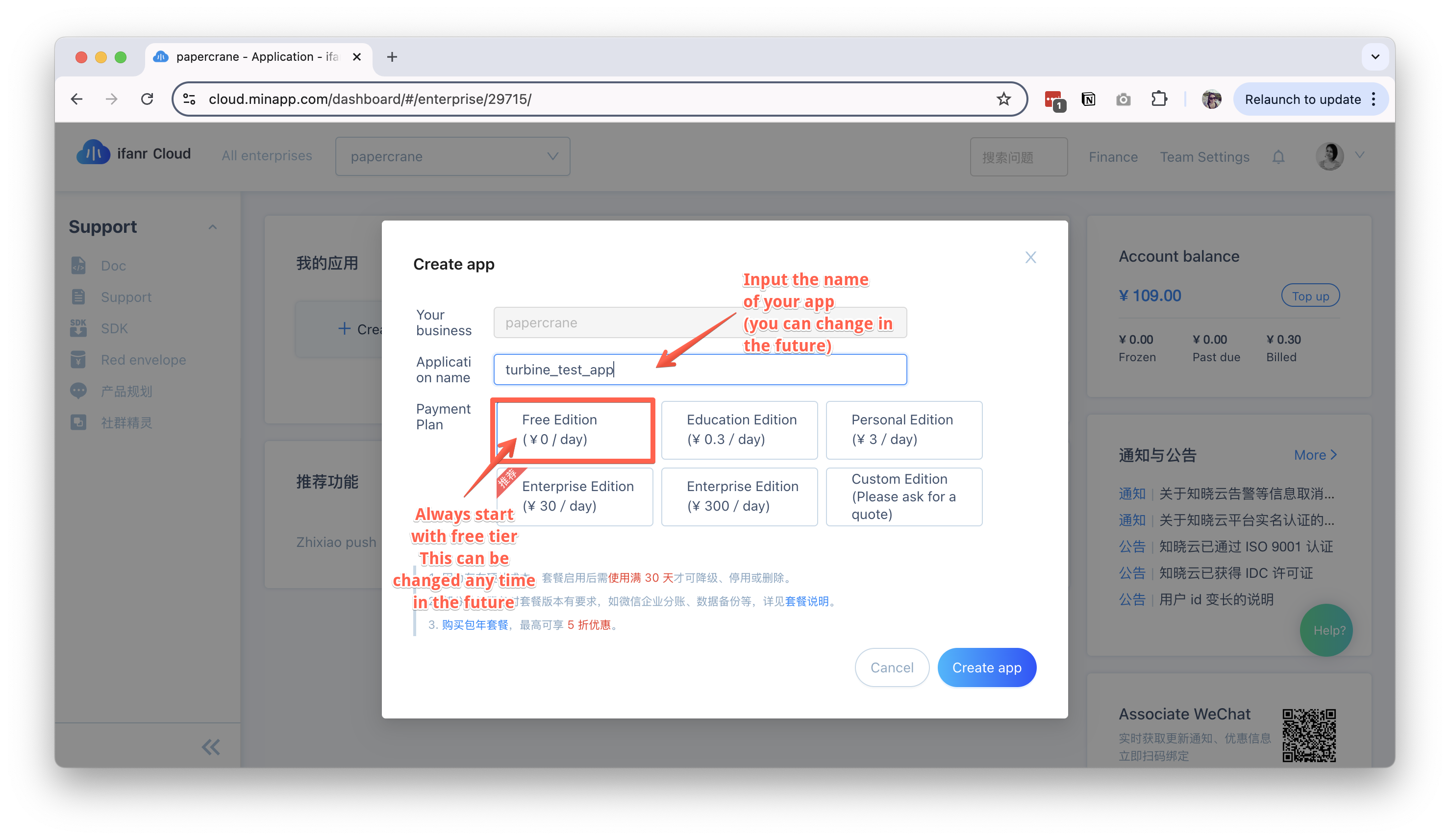
- Click "Create App" (创建应用) on the dashboard
Link your MINAPP account to your Wechat MP
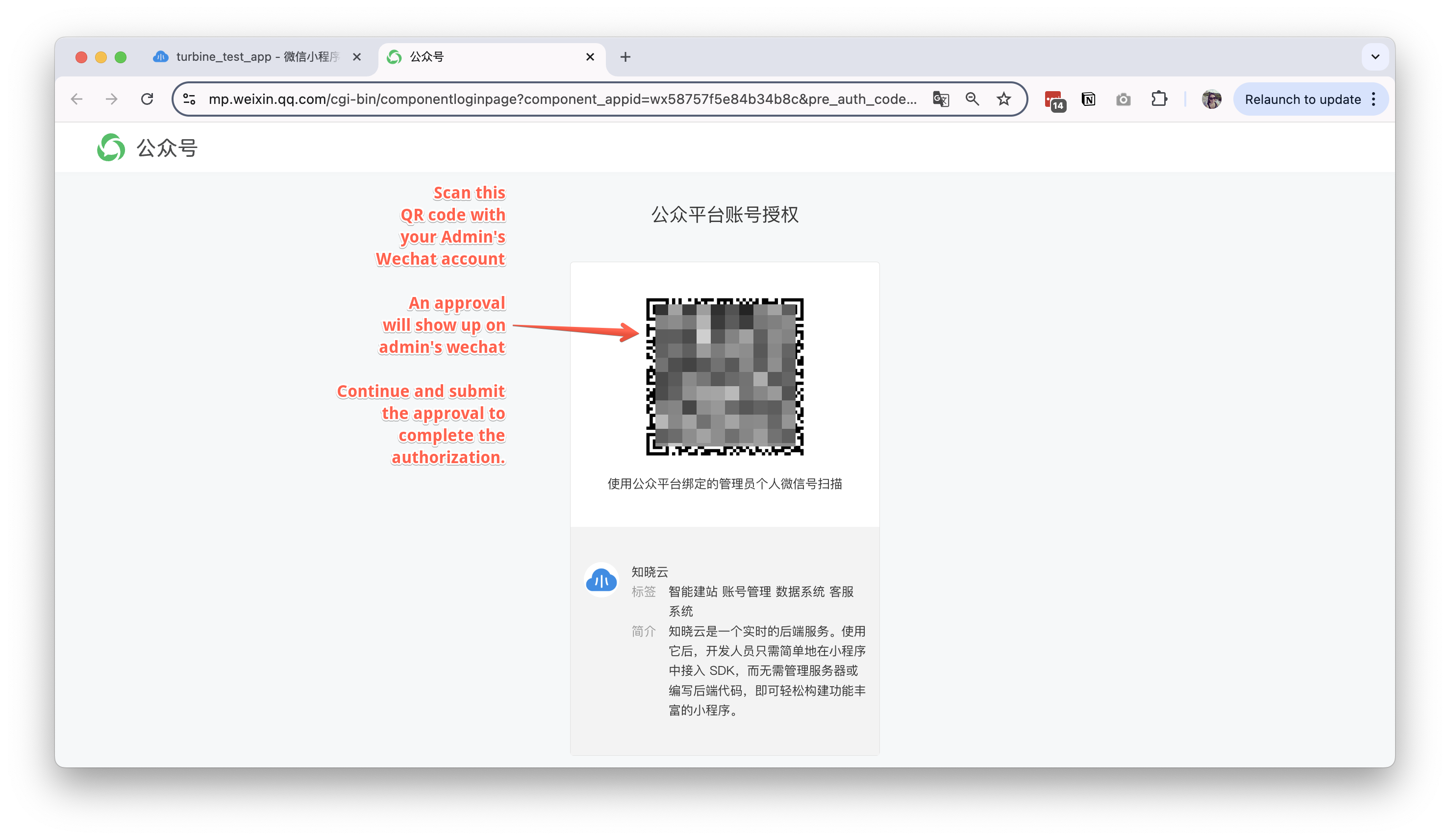
Once your MINAPP App is created, you'll see this "Guide" page. Choose WeChat Mini Program as your platform.
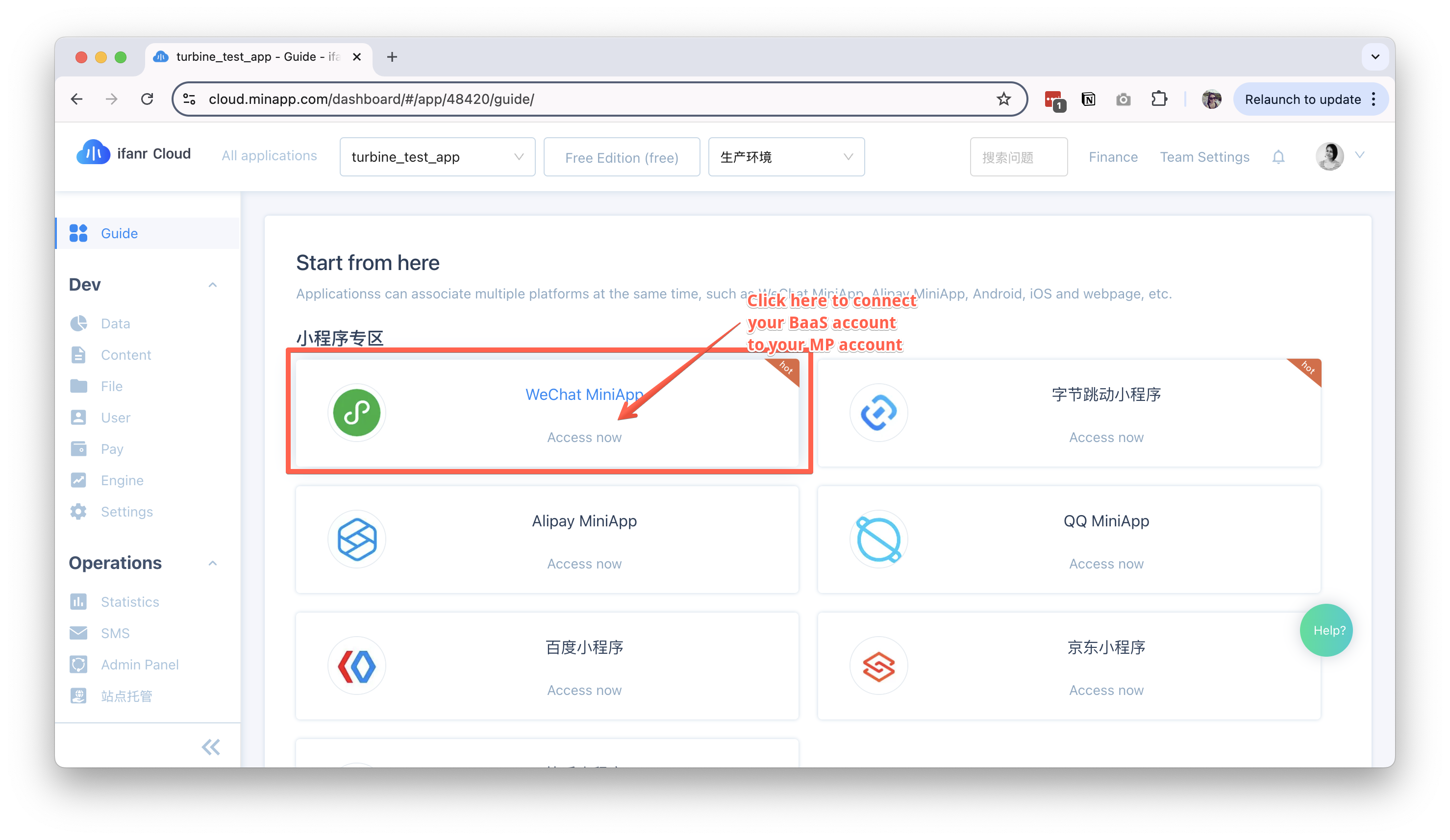
Follow the steps below to link your MINAPP account to your Wechat MP Account:
- Authorize your Wechat MP account to use this MINAPP CLOUD app.
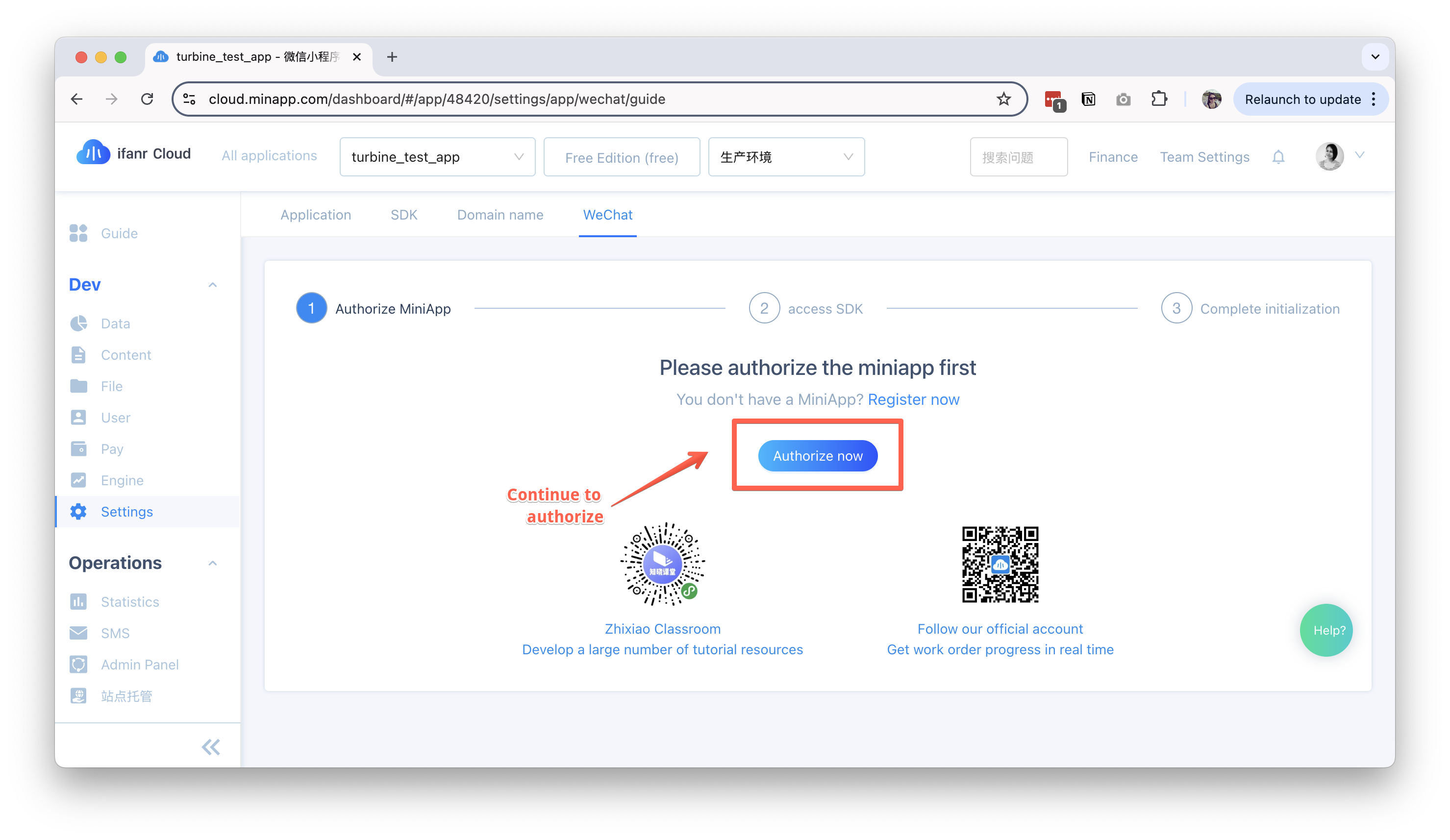
- Complete the authorization process.
Create a new database table
A database table is a structured collection of data that is organized in rows and columns. Each table represents a specific entity, and each row in the table corresponds to a single record of that entity. The columns define the attributes of the entity, and each column has a specific data type, such as integer, string, or date.
In the context of an e-commerce application, for example, several types of tables are essential to manage the various aspects of the business. Some key tables that an e-commerce app typically needs are:
- Users (or Customers) Table
- Products Table (along with Product SKUs, Product Categories, etc.)
- Orders Table (along with Order Items)
- Shopping Cart Table
Create Your Tables
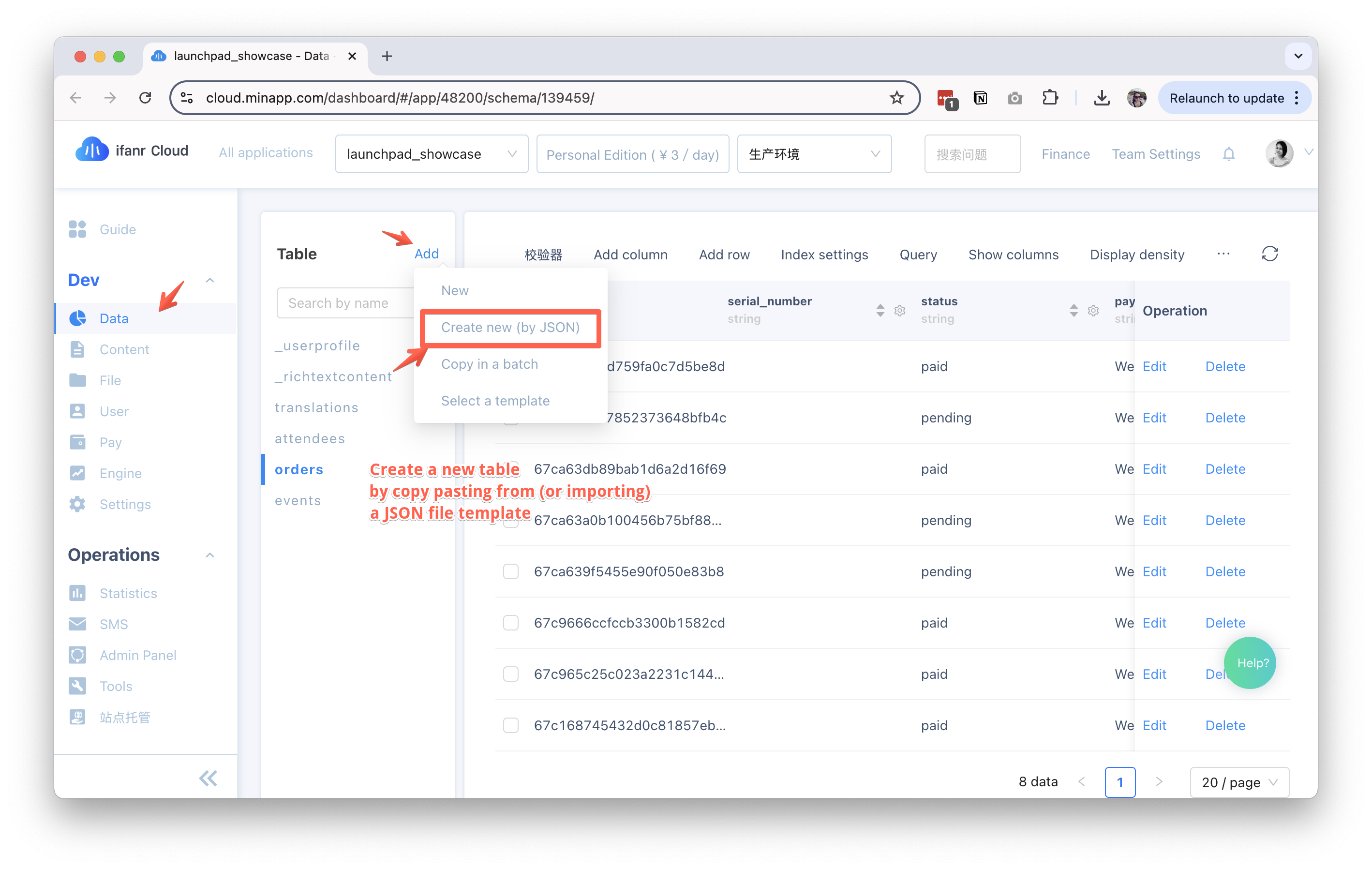
- Select "Data" from the left sidebar menu.
- Click "Add" on the Table left panel. We provide some sample tables for you to choose from in JSON format, or you can create your own.
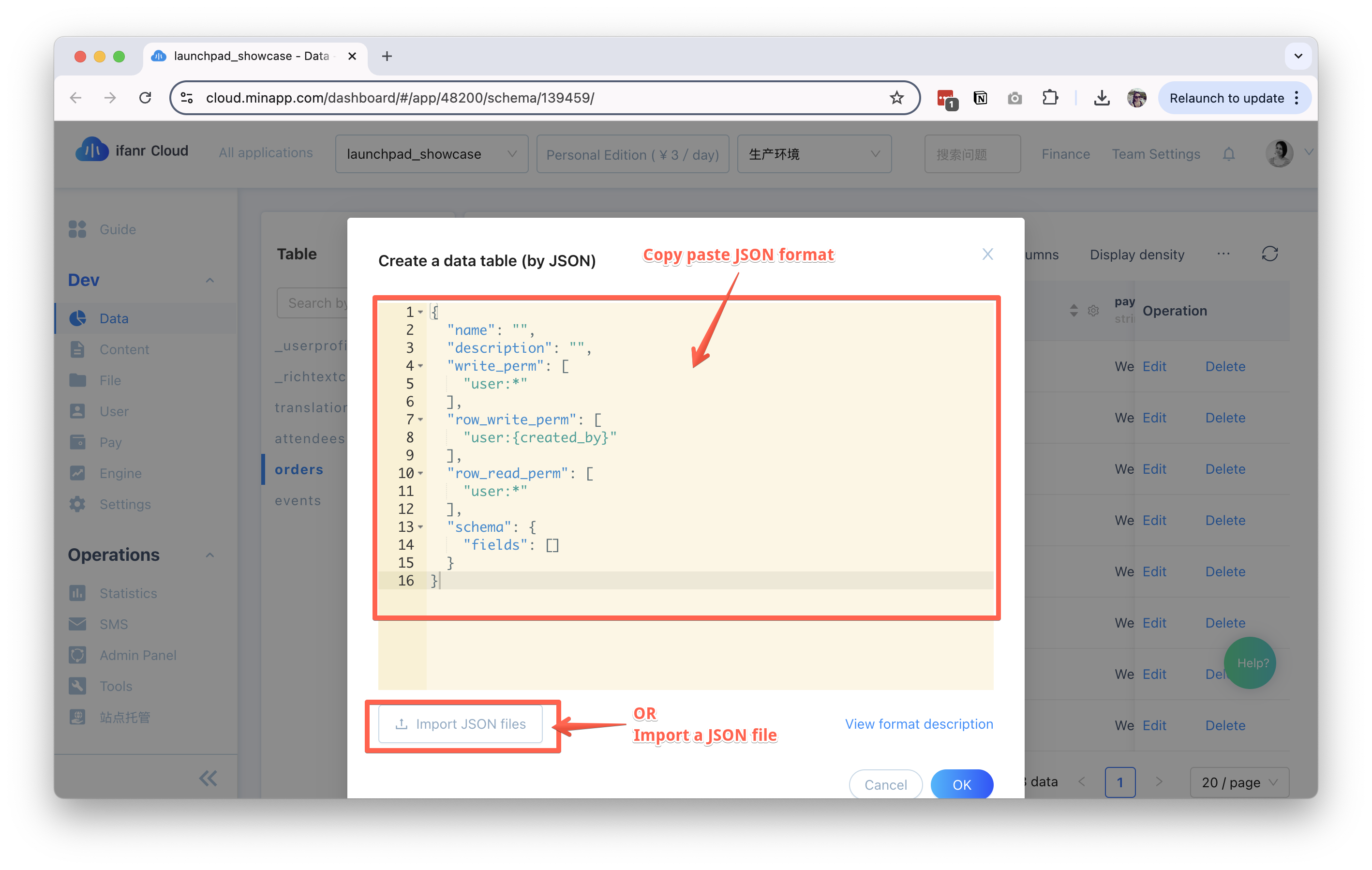
- To create a new table by JSON, select "Create by JSON" on the right panel:
- You can copy and paste the JSON schema of the table you want to create, or you can import the JSON file directly.
- You can also create your own table by choosing one of MINAPP's template tables or to create a new table from scratch.
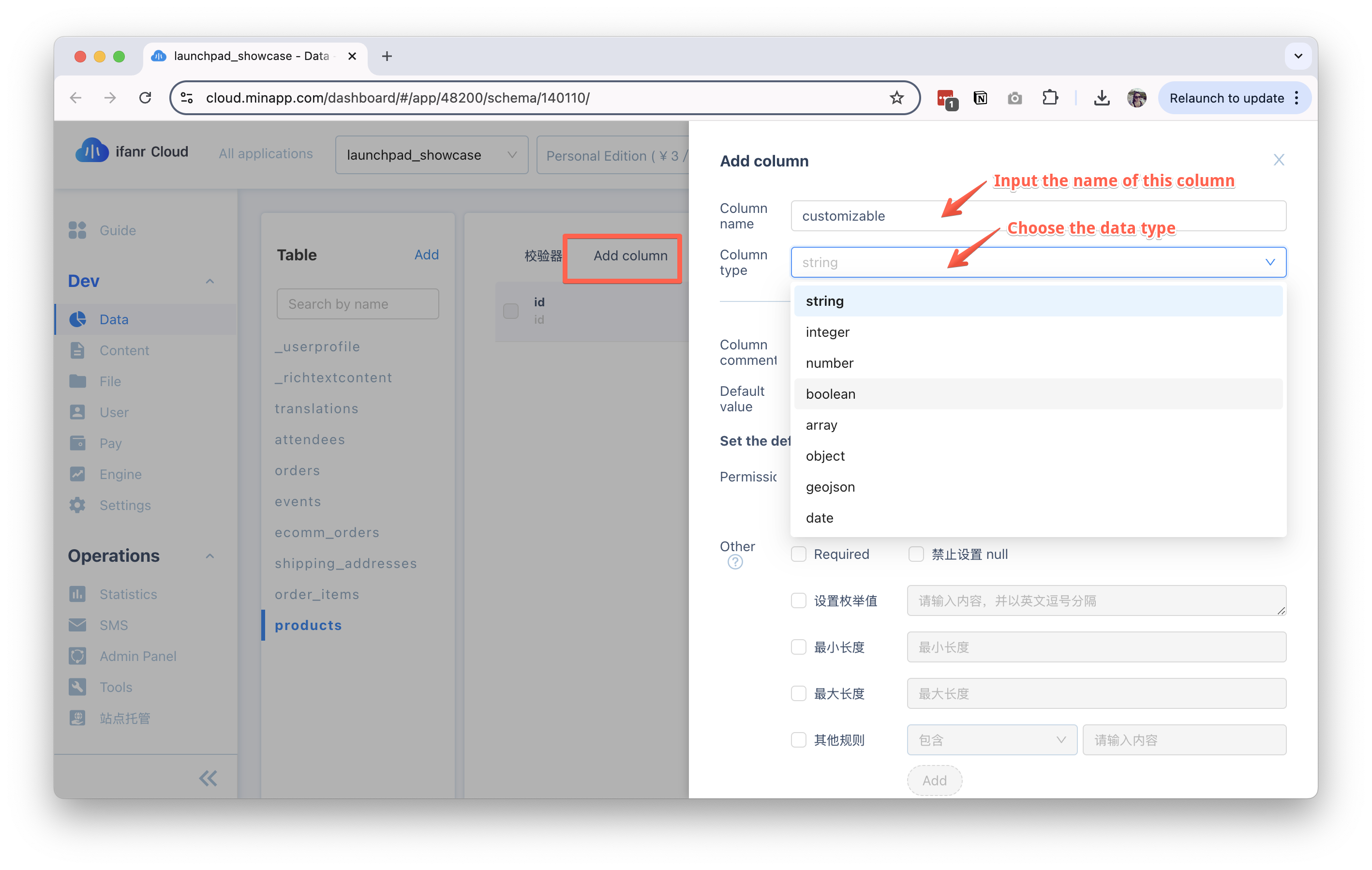
Modify Your Table
You can always adjust and modify your table structure according to your needs. After a table is created, you can add or remove columns, and modify the data type of each column.
Connect your database to your project
Open your TURBINE code template in your code editor and navigate to the src/libs/minapp folder to see some code samples that connect to your MINAPP CLOUD database.
Below is an example of how to get data from your products table (assuming there is a products table):
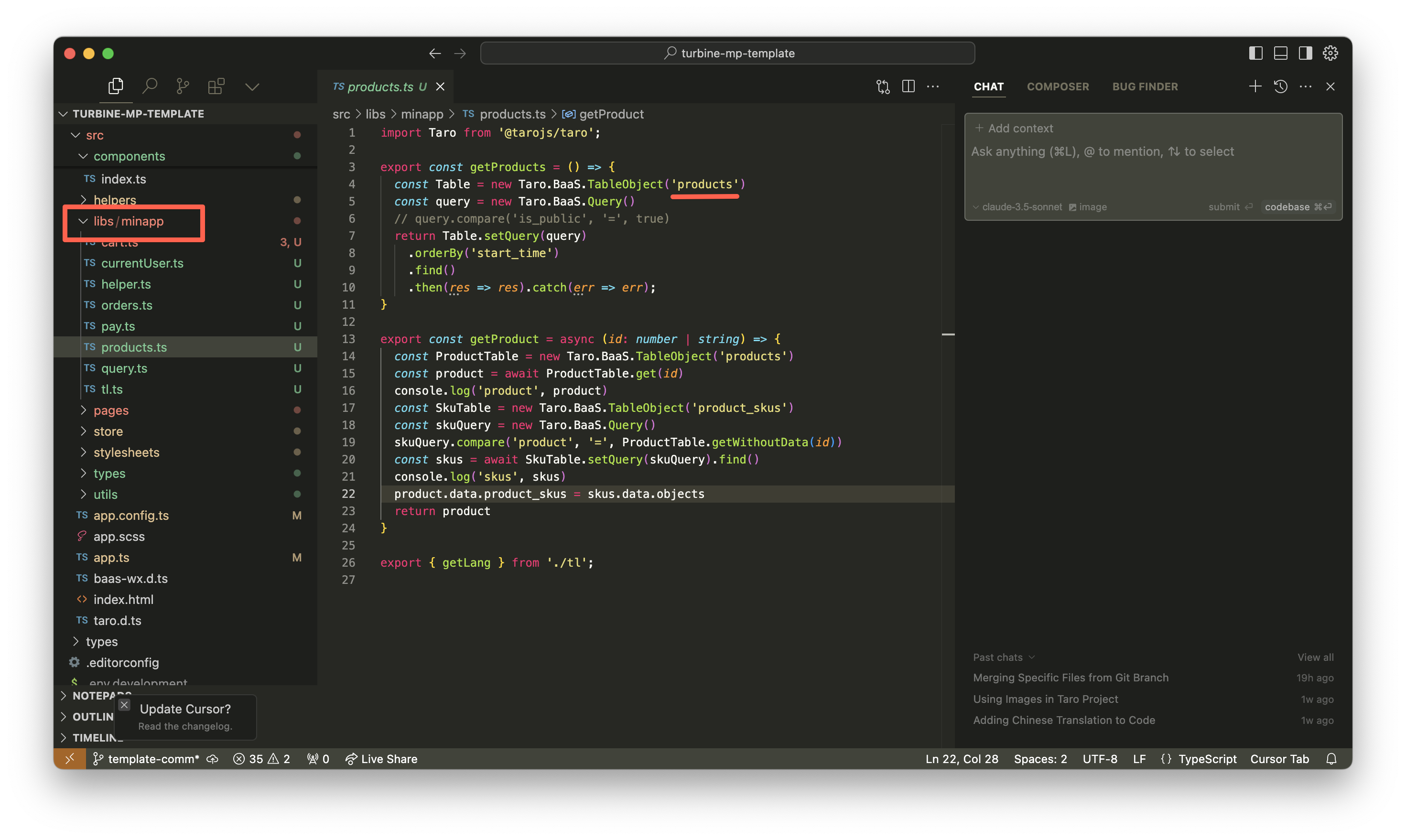
You can also use AI to help you add missing logic to your code. Here is a video example of how to write a prompt on Cursor IDE.
For more precise result, you should always reference the MINAPP CLOUD API documentation, or add the lines of code you want to use as example.