🚀 Quick Start
- Prerequisites
- Get the code
- Install dependencies
- Configure the project
- Run the project
💾 Database
- What is BaaS?
- Setup a MINAPP CLOUD account
- Link your MINAPP account to your Wechat MP
- Create a new database table
- Connect your database to your project
🎨 Customization
- Theme and CSS Setup
- Create new pages
- Add new components
💳 Wechat Payment
- Setup a Wechat Pay account
- Connect your Wechat Pay to your MP
- Connect your Wechat Pay to your MINAPP account
🔄 Publishing
- When to publish your MP
- Push your code to Tencent
- Test your MP's beta version
- Publish your MP to Tencent
📚 Resources
- Learning Plans
- Tutorials
- FAQ
🚀 Quick Start
- Prerequisites
- Get the code
- Install dependencies
- Configure the project
- Run the project
💾 Database
- What is BaaS?
- Setup a MINAPP CLOUD account
- Link your MINAPP account to your Wechat MP
- Create a new database table
- Connect your database to your project
🎨 Customization
- Theme and CSS Setup
- Create new pages
- Add new components
💳 Wechat Payment
- Setup a Wechat Pay account
- Connect your Wechat Pay to your MP
- Connect your Wechat Pay to your MINAPP account
🔄 Publishing
- When to publish your MP
- Push your code to Tencent
- Test your MP's beta version
- Publish your MP to Tencent
📚 Resources
- Learning Plans
- Tutorials
- FAQ
Wechat MP Account
Register a new Wechat MP
Below you'll find step by step guide to register a new Wechat MP account. You can also visit the official guide here.
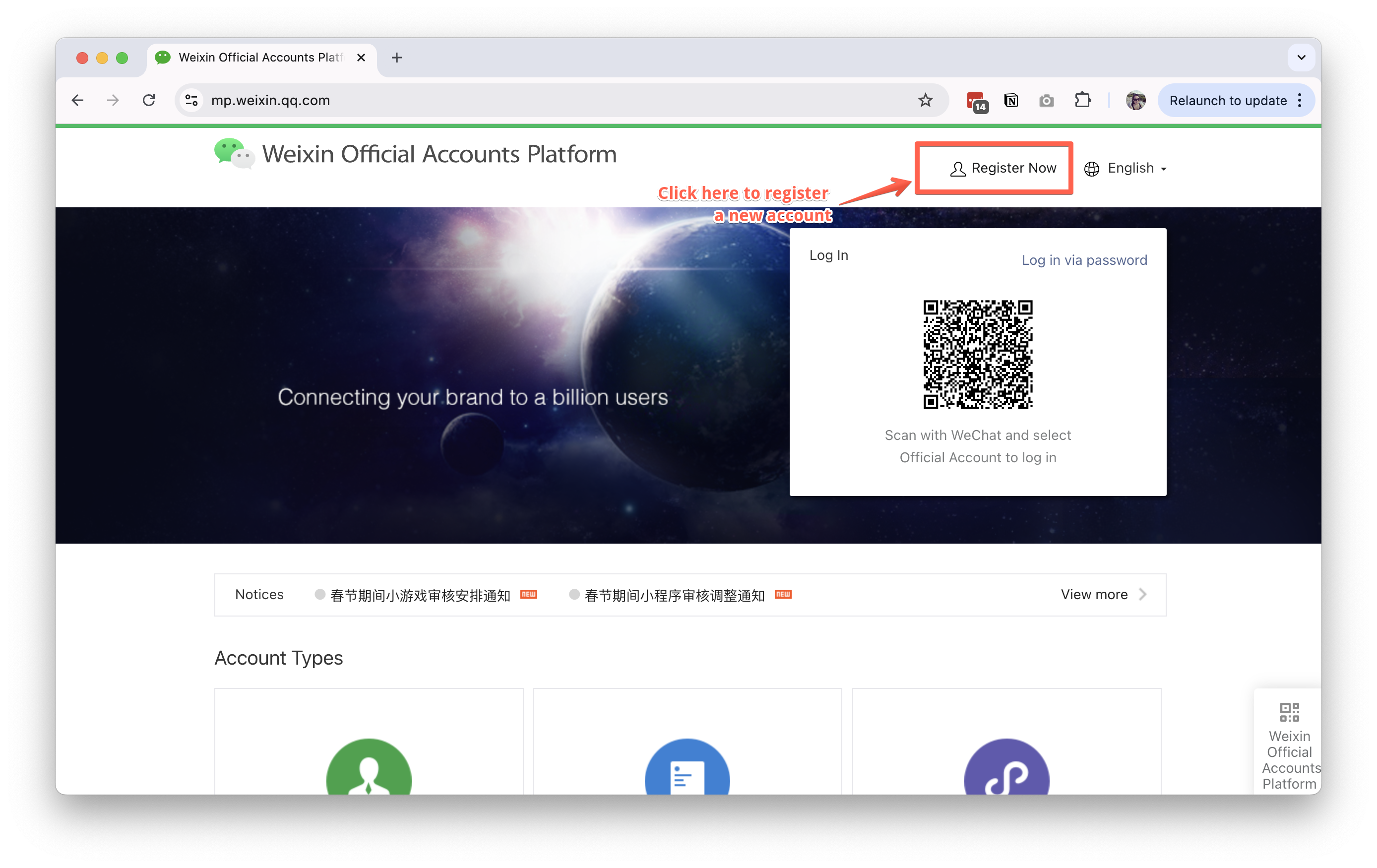
- Visit the WeChat Official Account Platform
- Click on "Register Now"
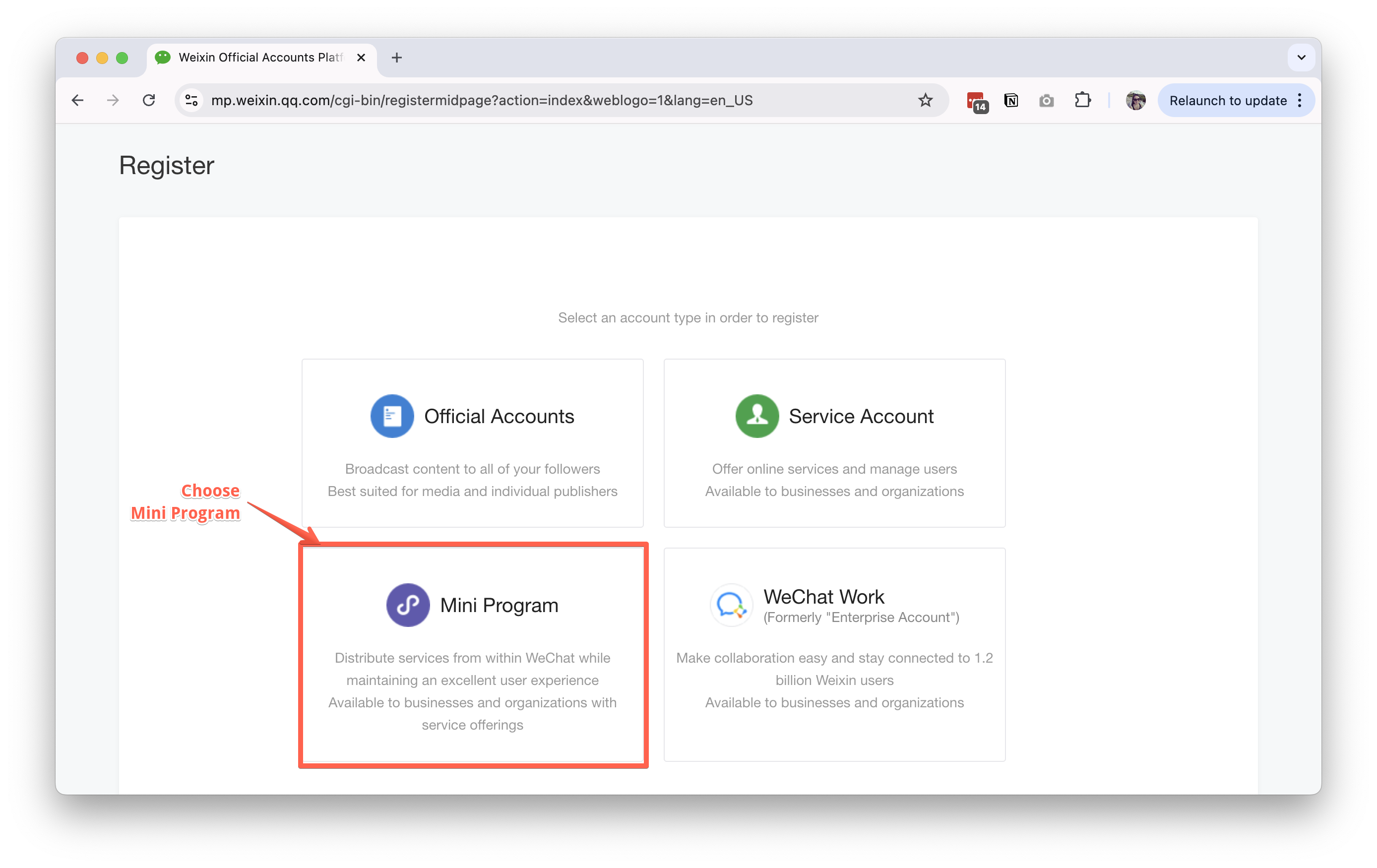
- Choose "Mini Program"
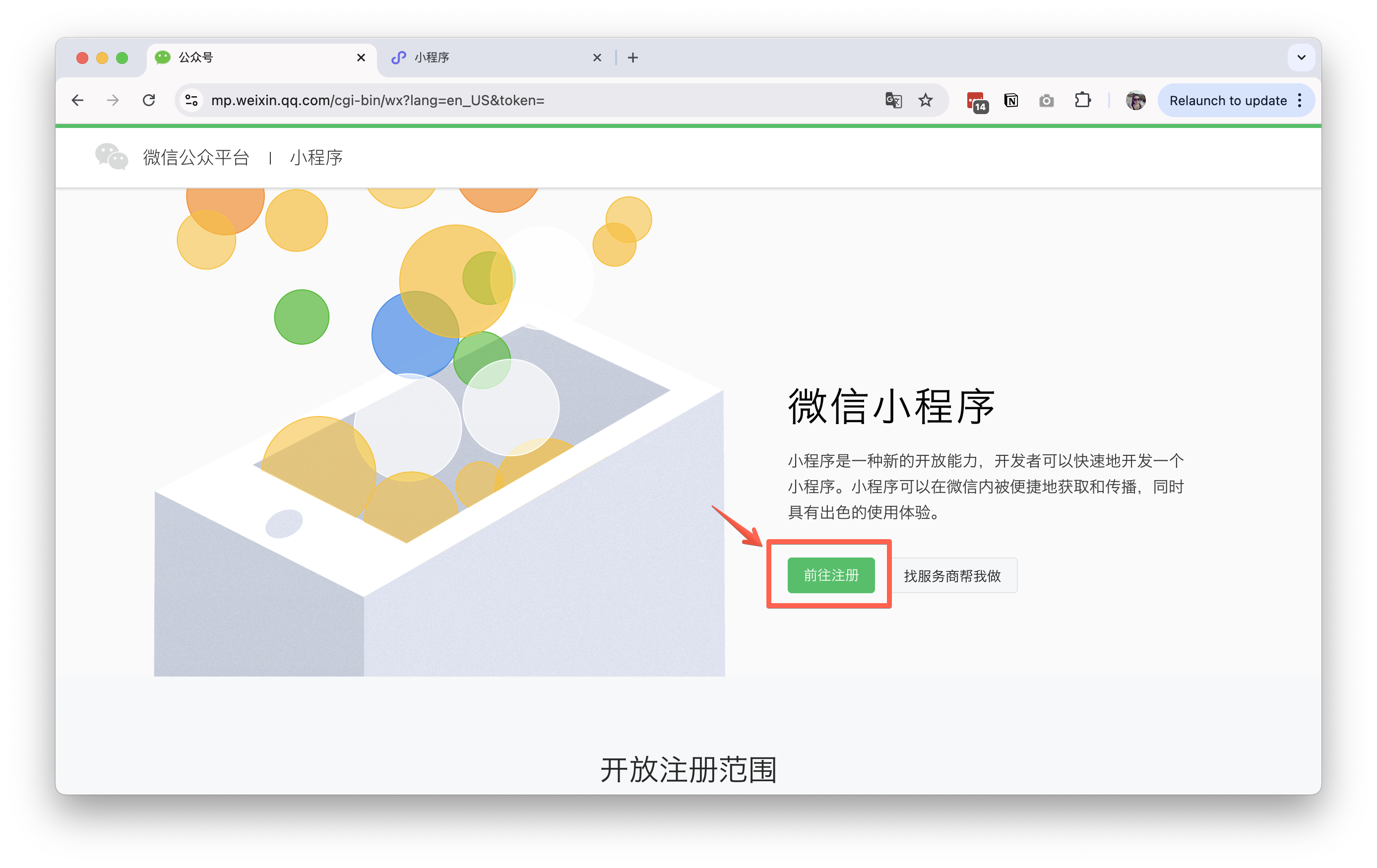
- Create account with email and password
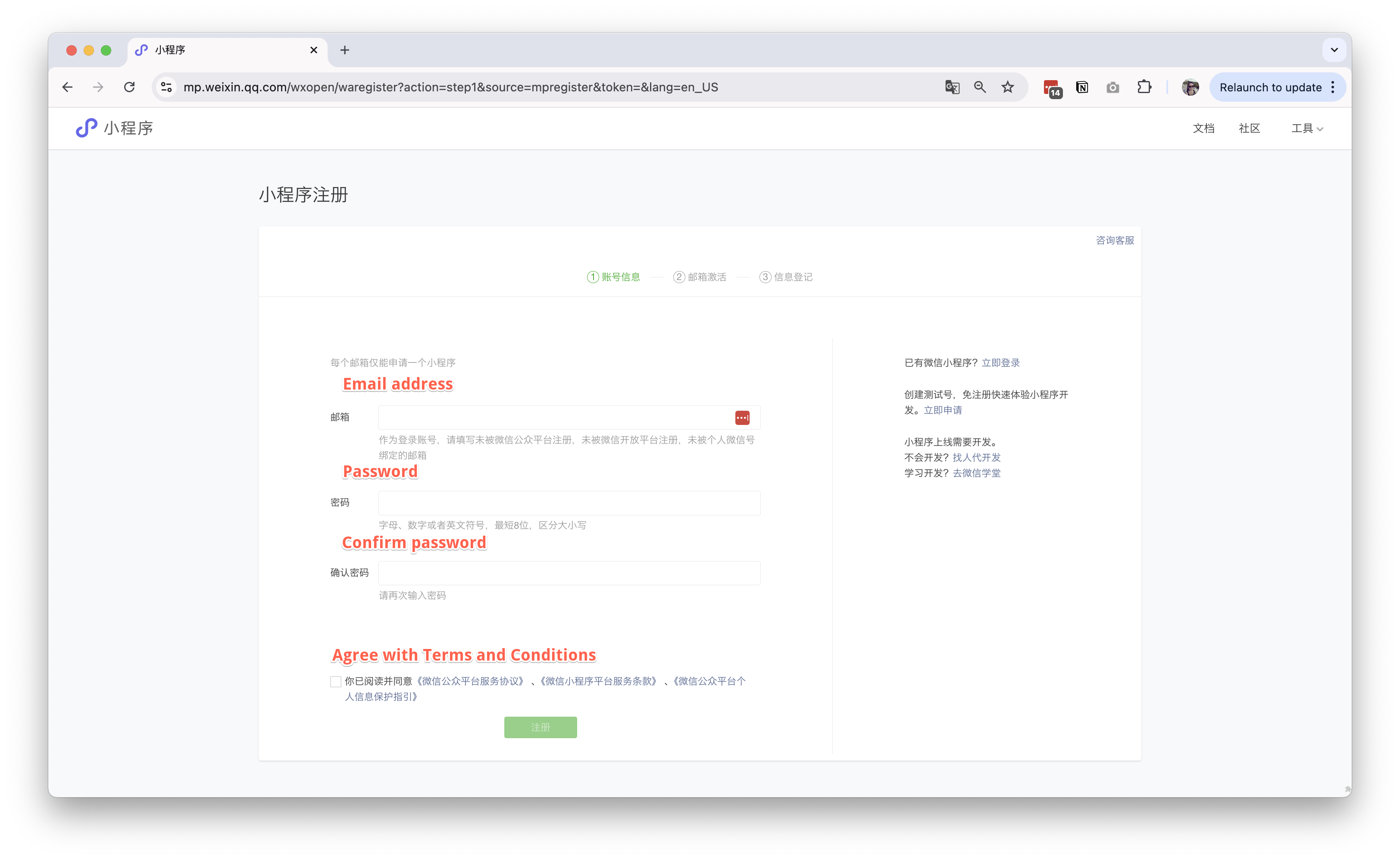
- Complete email verification
Tencent will send a verification email to the email address you provided, please check your email and click the link to verify your email. - Login with email and password, and complete the registration process.
Here you will choose the type of account you want to create, and then fill in the required information.- Individual Account (There are limitations when using Individual Account)
- Enterprise (Company) Account (preferred)
If you choose Enterprise Account, you need to provide the following information:- Company Name
- Company Address
- Contact Number
- Legal Representative
- Business License (Tax) Number
- Copy of Business License
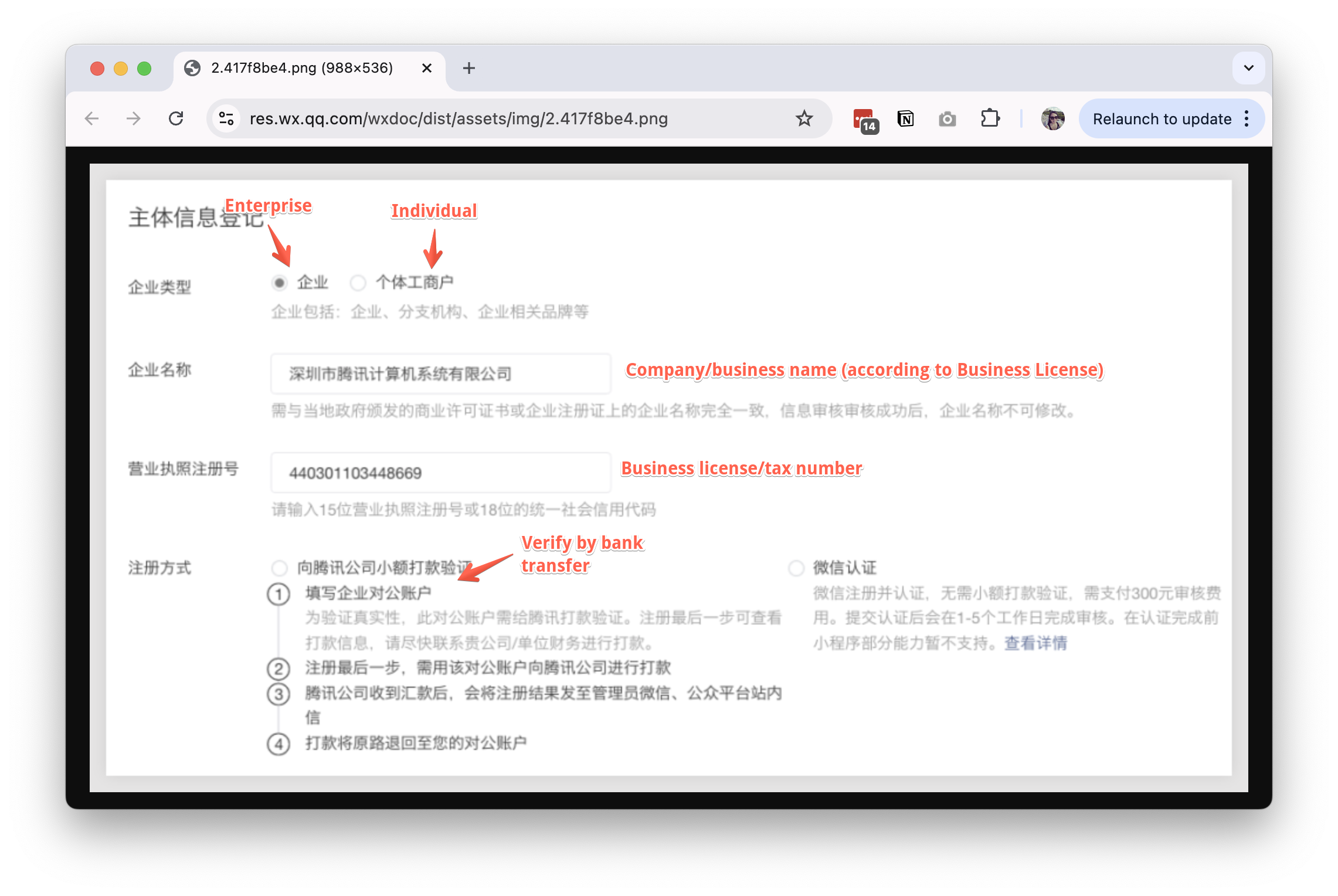
You also need to appoint an administrator for the account. - Mainland Chinese ID number
- Name
- Email address
- Mobile phone number
- Verification code
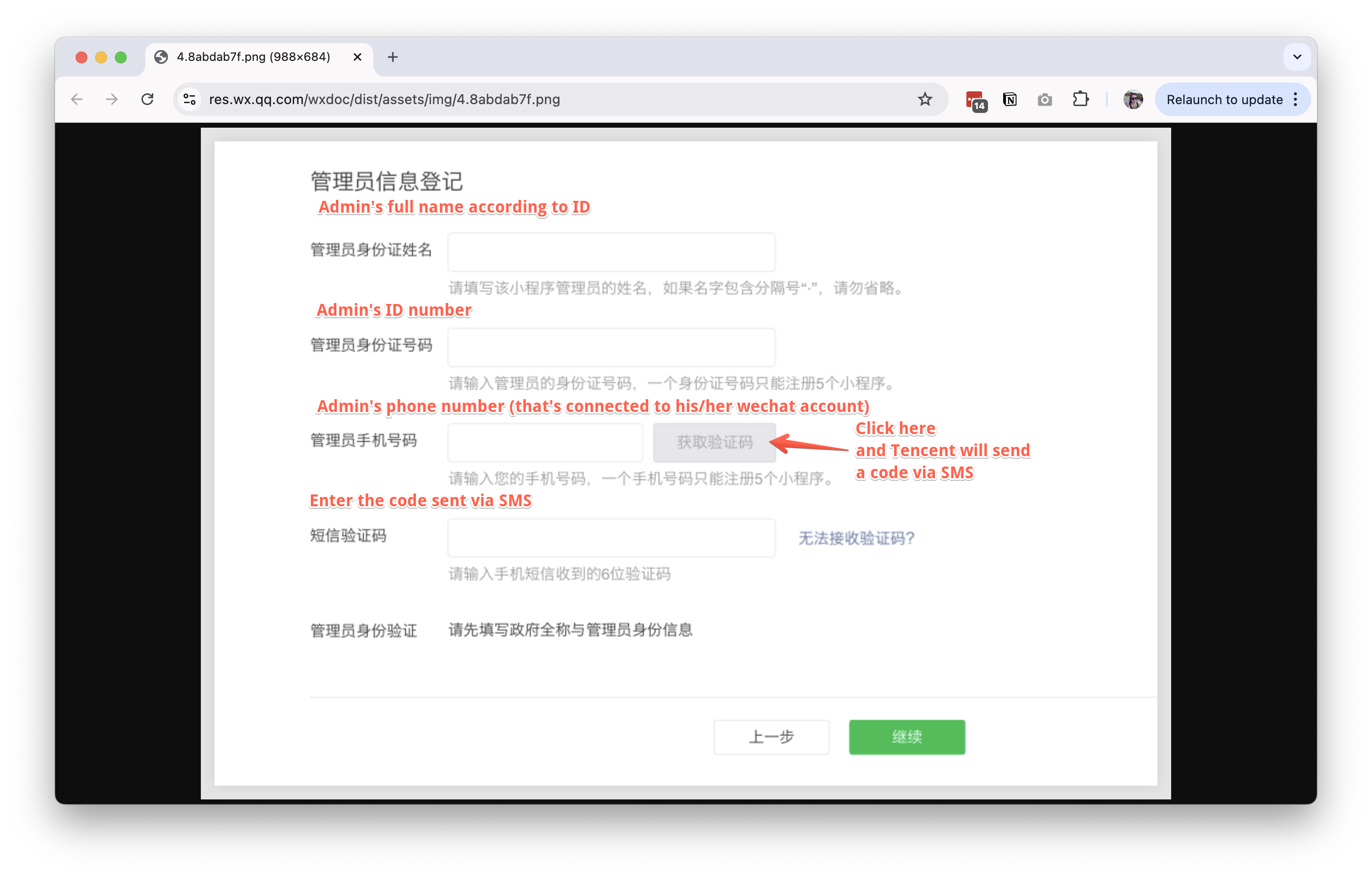
You also need to select how to verify your business license. The most common way is to complete a small payment transfer from your Business Bank Account to Tencent's Account, which they will provide during the process.
After completing the information, click "Submit" to wait for account review.
If you choose bank transfer, you need to complete the payment within 30 days.
- Wait for account review (typically 1-7 business days)
Get the MP APP ID and APP Secret
- Log in to your WeChat MP account here with your admin wechat account.
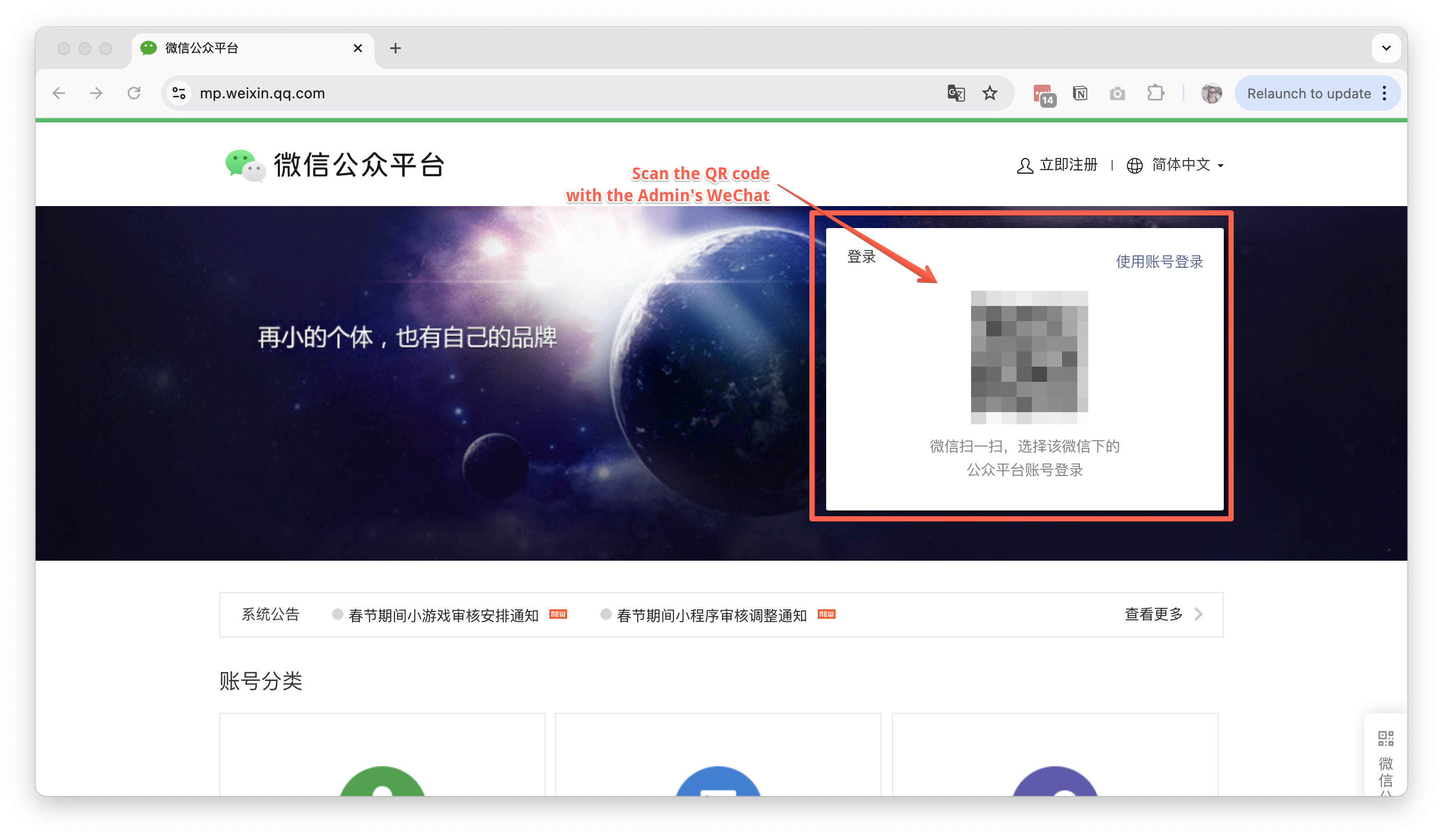
- Navigate to
开发管理(Development Management) on the left sidebar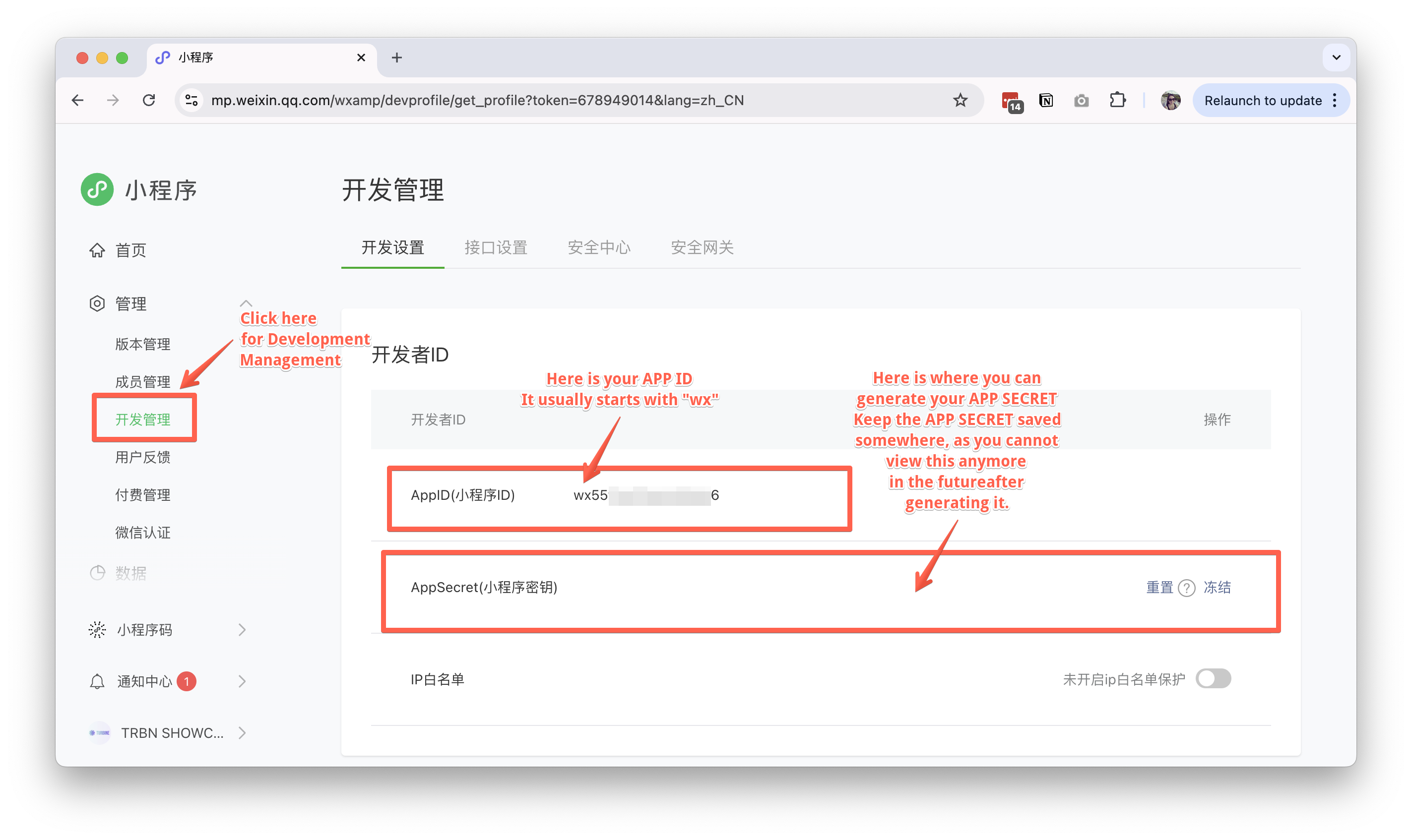
- Find your APP ID (小程序ID) in the account
开发设置(Development Settings) section - Click "Generate" to create your APP Secret
- Save both credentials securely - you'll need them for API integration
Add a team member
- Log in to your WeChat MP account here with your admin wechat account.
- Navigate to
成员管理(Team Management) on the left sidebar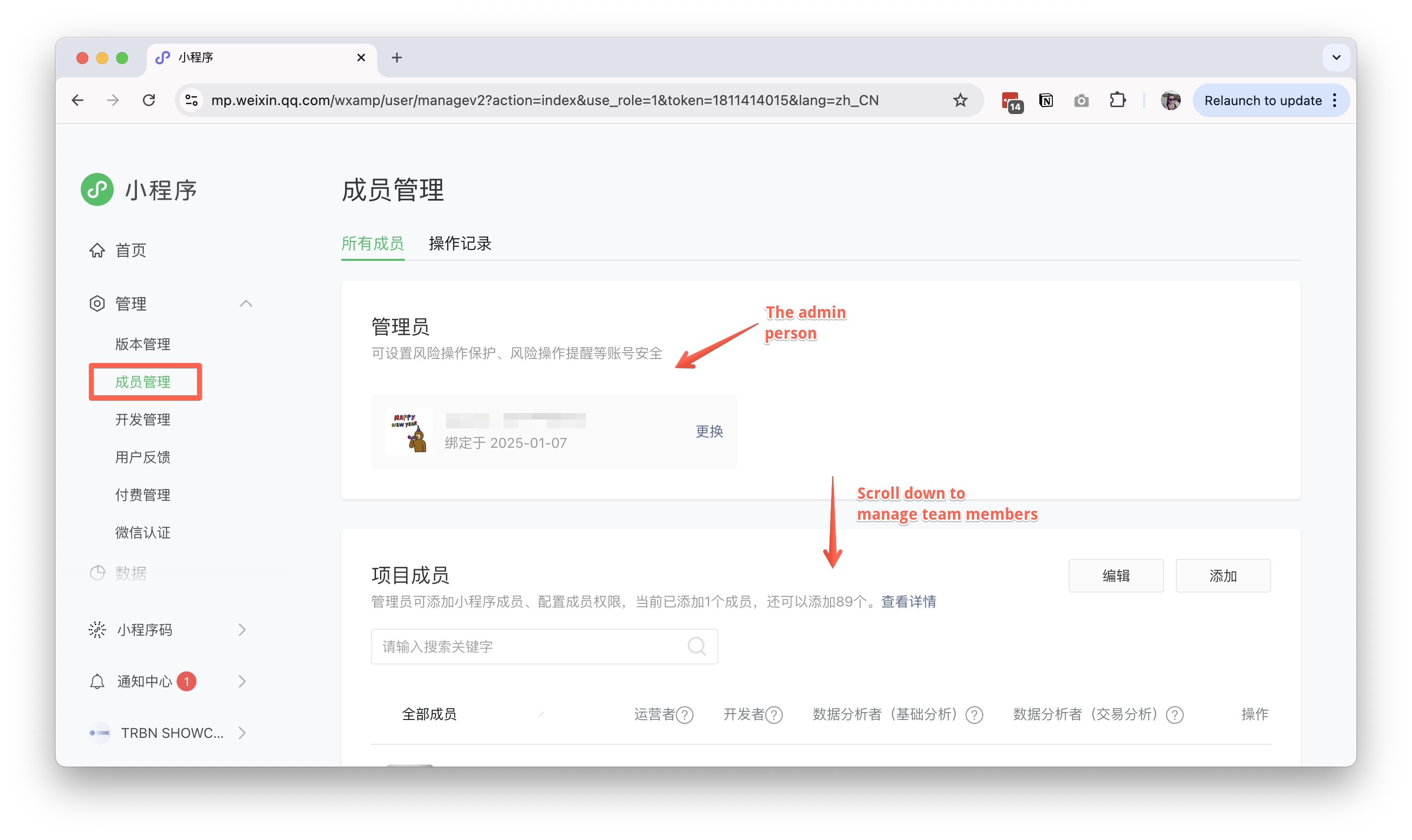
- Add team (project) members
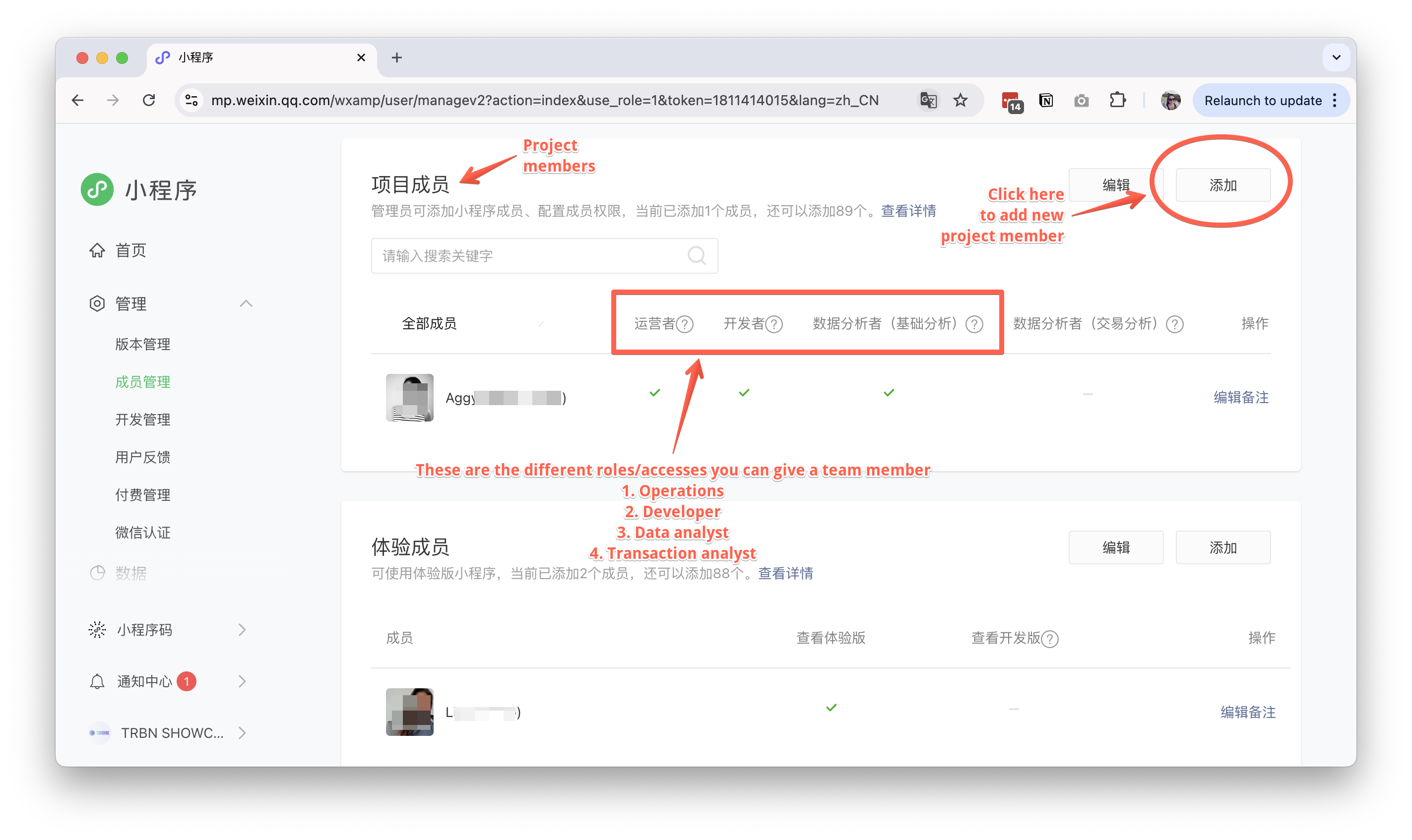
- Click "Add Team Member"
- Choose the appropriate role:
- Operator
- Developer
- Data Analyst
- Data Transactions Analyst
- Enter the team member's WeChat username
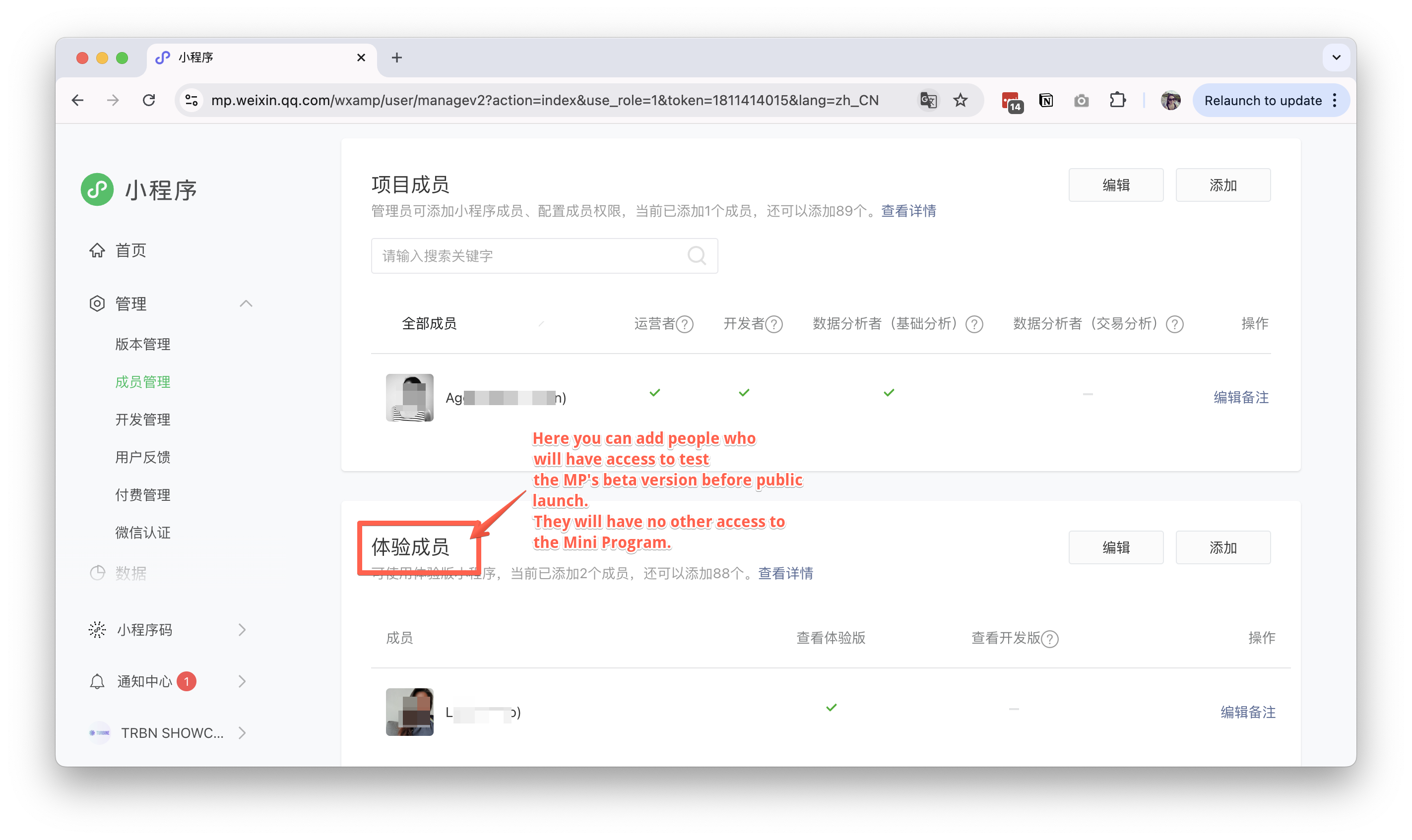
- Add testers to the project
Fill in MP basic information
- Log in to your WeChat MP account here with your admin wechat account.
- Go to the menu on the bottom of the sidebar, click and choose
账户设置(Account Settings)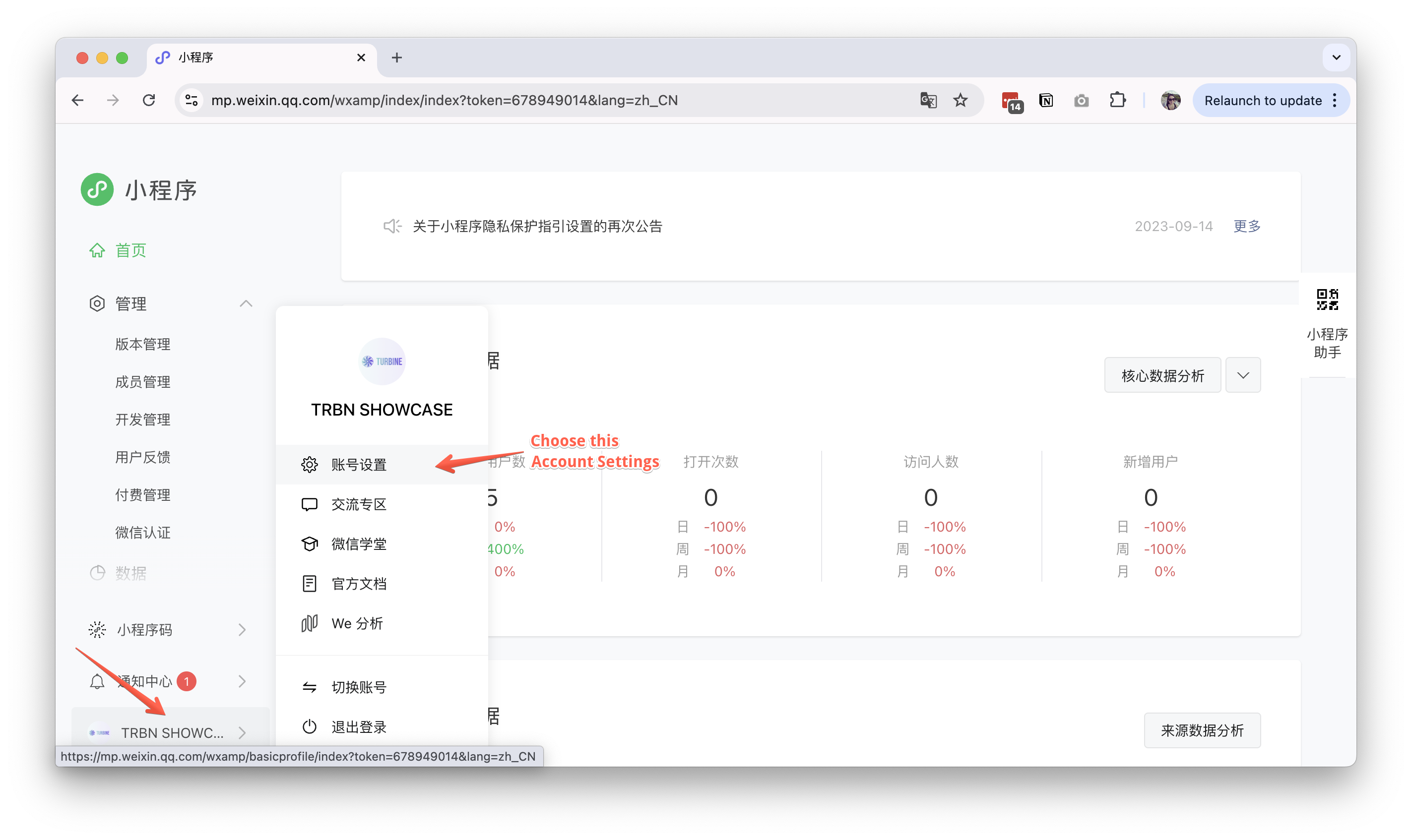
- Complete the following information:
- App logo
- App name
- App "short name"
- App description
- App categories
- Save your changes
Select MP categories
- Log in to your WeChat MP account here with your admin wechat account.
- Go to the menu on the bottom of the sidebar, click and choose
账户设置(Account Settings) - Find the "Categories Management" section
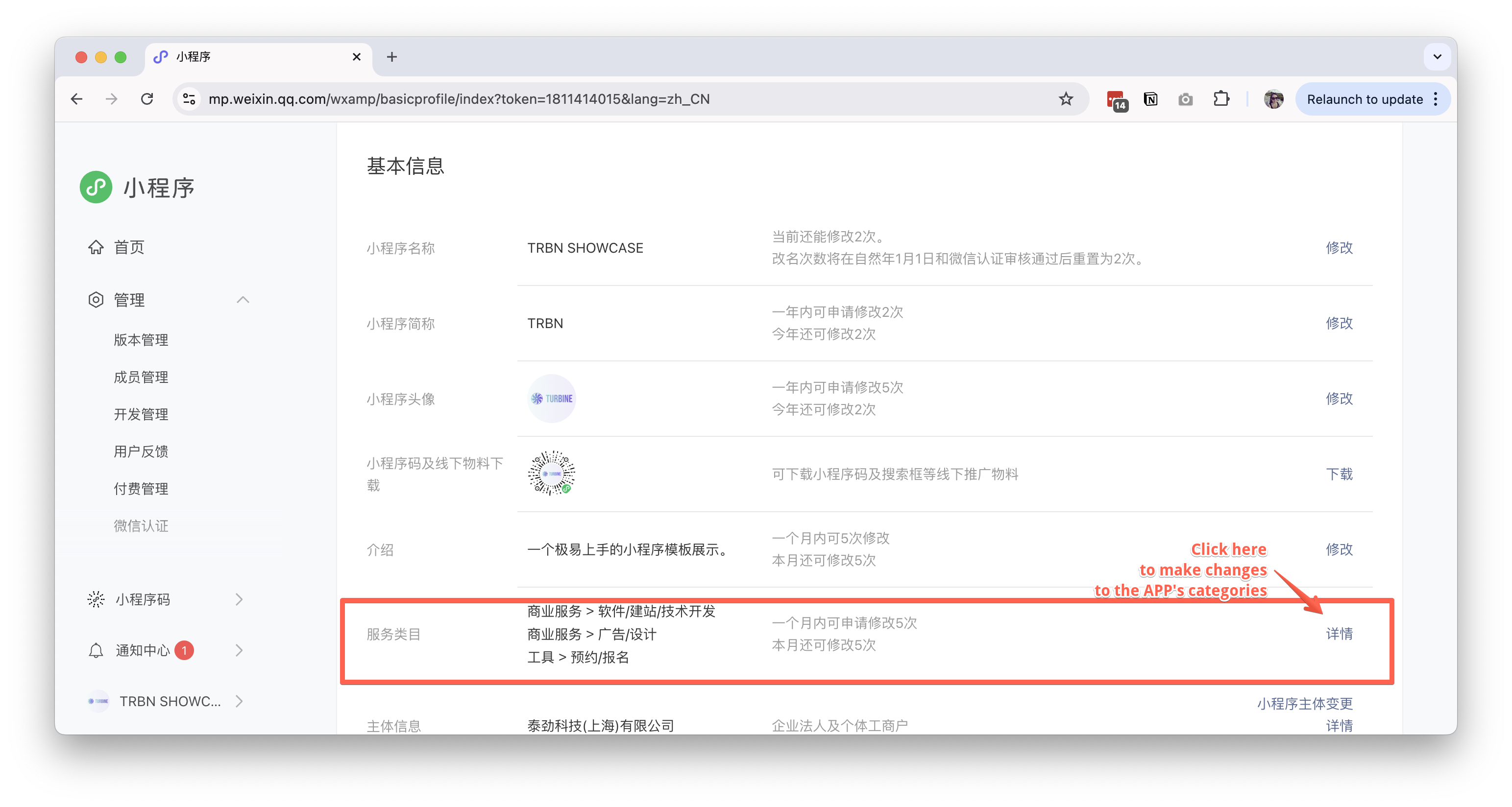
- Select the categories that best describe your account
If you choose more than 1 category, ensure that you choose the one as the main category.
Get your Mini Program Account Verified/Authenticated
What is Mini Program Verification/Authentication?
WeChat authentication refers to the process of verifying the true identity and legitimacy of a user or account through official WeChat review. This process is designed to improve the reputation and credibility of the account while providing users with a safer and more convenient service experience. The following is a detailed explanation of WeChat authentication.
Individual Account: Wechat requiers personal real-name authentication. Users submit real personal identity information (such as ID card) for authentication to increase the security and credibility of their accounts. This authentication is not mandatory, but users are advised to complete it as soon as possible to ensure the security of their accounts.
Enterprise Account: Wechat requires you to submit business licenses, organization code certificates and other information to verify the legitimacy and authenticity of the account. After successful authentication, the account will gain more functions and permissions, such as payment and transfer.
Why is this necessary for me?
Wechat requires the Mini Program account to be verified prior to publishing online.
What are the costs and frequencies?
This is an annual requirement. You are required to verify and re-verify your account each year. Each verification will cost CN¥ 300.
Steps to verify your Mini Program Account
- Log in to your WeChat MP account here with your admin wechat account.
- Go to the menu on the bottom of the sidebar, click and choose
账户设置(Account Settings) - Find the "Account Verification" section
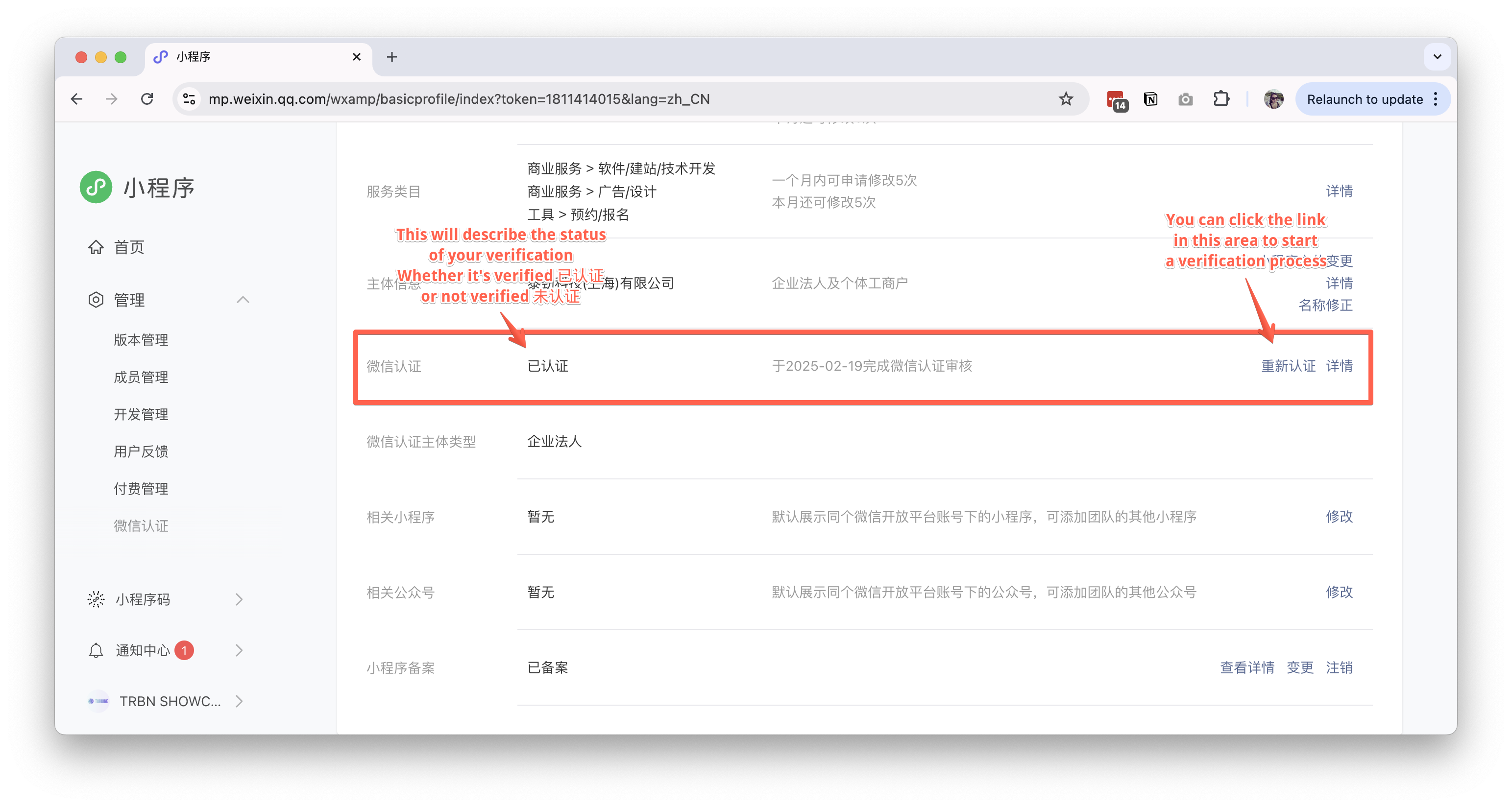
- Prepare required documents:
- Business license
- Organization code
- Legal representative ID
- Pay the verification fee (300 RMB annually)
- Submit documentation
- Wait for verification review (typically 7-15 business days)
File for ICP
What is ICP 备案 for Mini Program?
In the context of websites and apps in mainland China, an ICP filing (备案 or ICP Bei'an) is a legal requirement for non-commercial websites and apps to ensure compliance with Chinese regulations regarding internet information services, allowing them to be hosted on mainland servers.
Since 2021, the Ministry of Industry and Information Technology has started requiring all Wechat Mini Program to be filed and comply with the regulation.
Why is this necessary for me?
Wechat requires that ICP has been successfully filed and approved prior to publishing online.
How often do I need to do this?
Only once. Once you have filed for ICP, you will not need to do this again.
Steps to file for your Mini Program's ICP
- Log in to your WeChat MP account here with your admin wechat account.
- Go to the menu on the bottom of the sidebar, click and choose
账户设置(Account Settings) - Find the "ICP filing" section
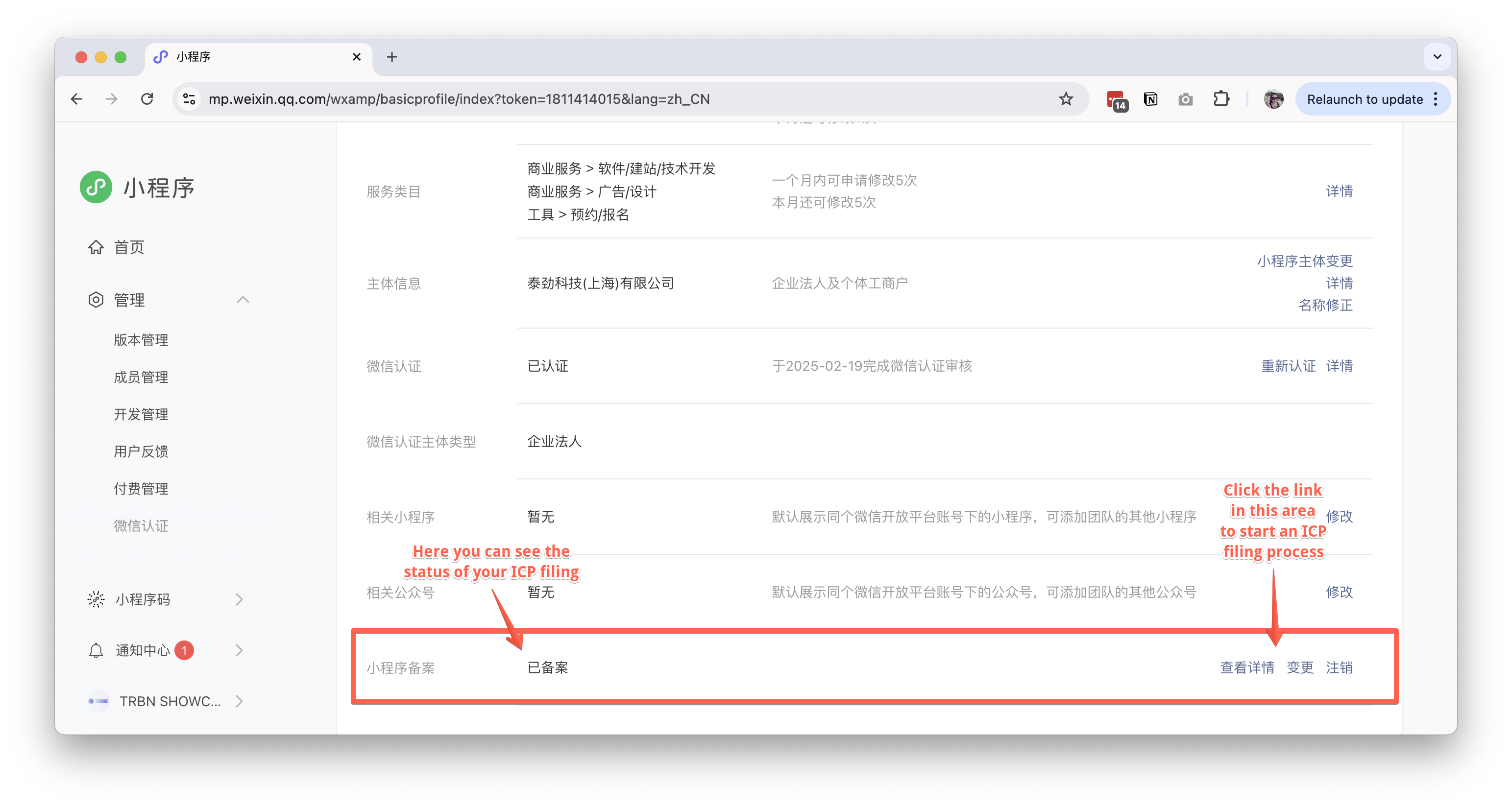
- Prepare required documentation:
- Business license
- Legal representative information
- Admin information as the "main person in charge" of the Mini Program
- Complete the following steps:
- Fill in organization information
- Upload required documents
- Submit for review
- Once filed for review, the bureau will send an automated SMS to the legal representative's mobile phone number.
There will be instruction to enter a code on the link provided in the SMS. This needs to be done within 24 hours of receiving the SMS. - Wait for ICP approval (typically 7 - 15 business days)
If there are irregularities in the submission, the bureau may call the legal representative or the administrator for verification.
Set up Customer Service Chat
- Log in to your WeChat MP account here with your admin wechat account.
- Go to the customer service section to manage the customer service chat
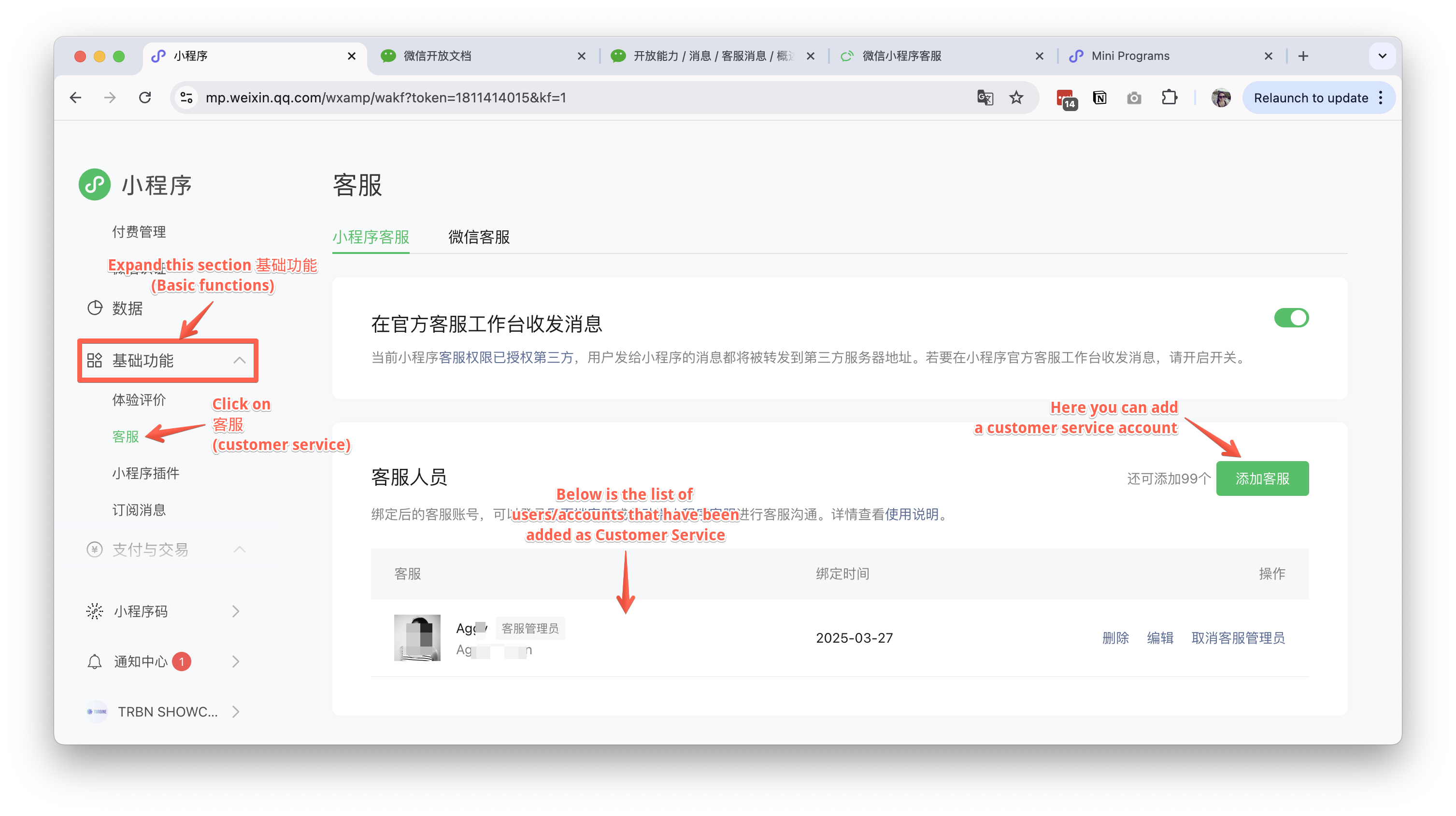
- Add customer service representatives
- Test the customer service function from the customer service chat on the Mini Program
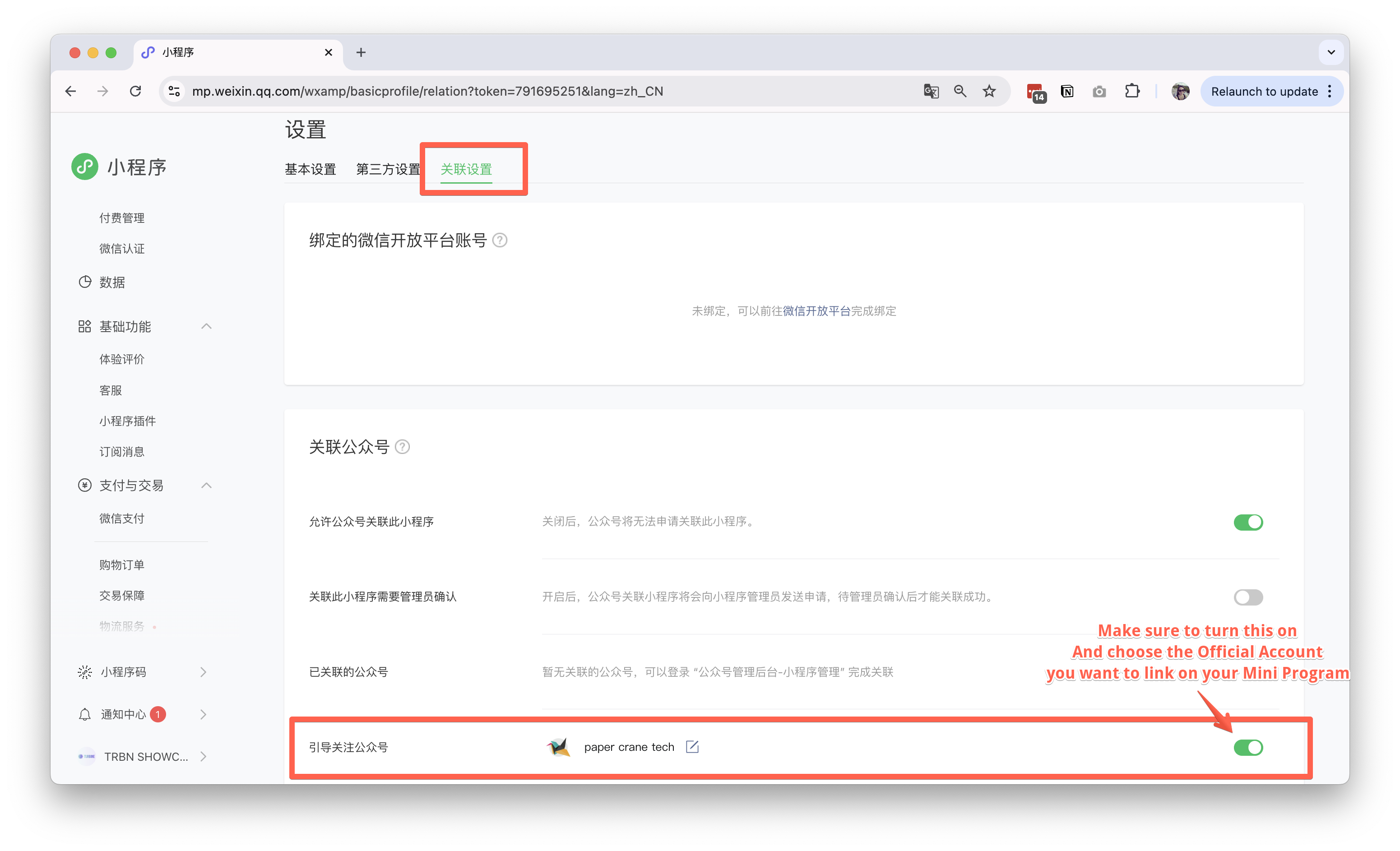
Link Official Account
- Log in to your WeChat MP account here with your admin wechat account.
- Go to the menu on the bottom of the sidebar, click and choose
账户设置(Account Settings) - Scroll down and find
相关公众号(Related Official Accounts)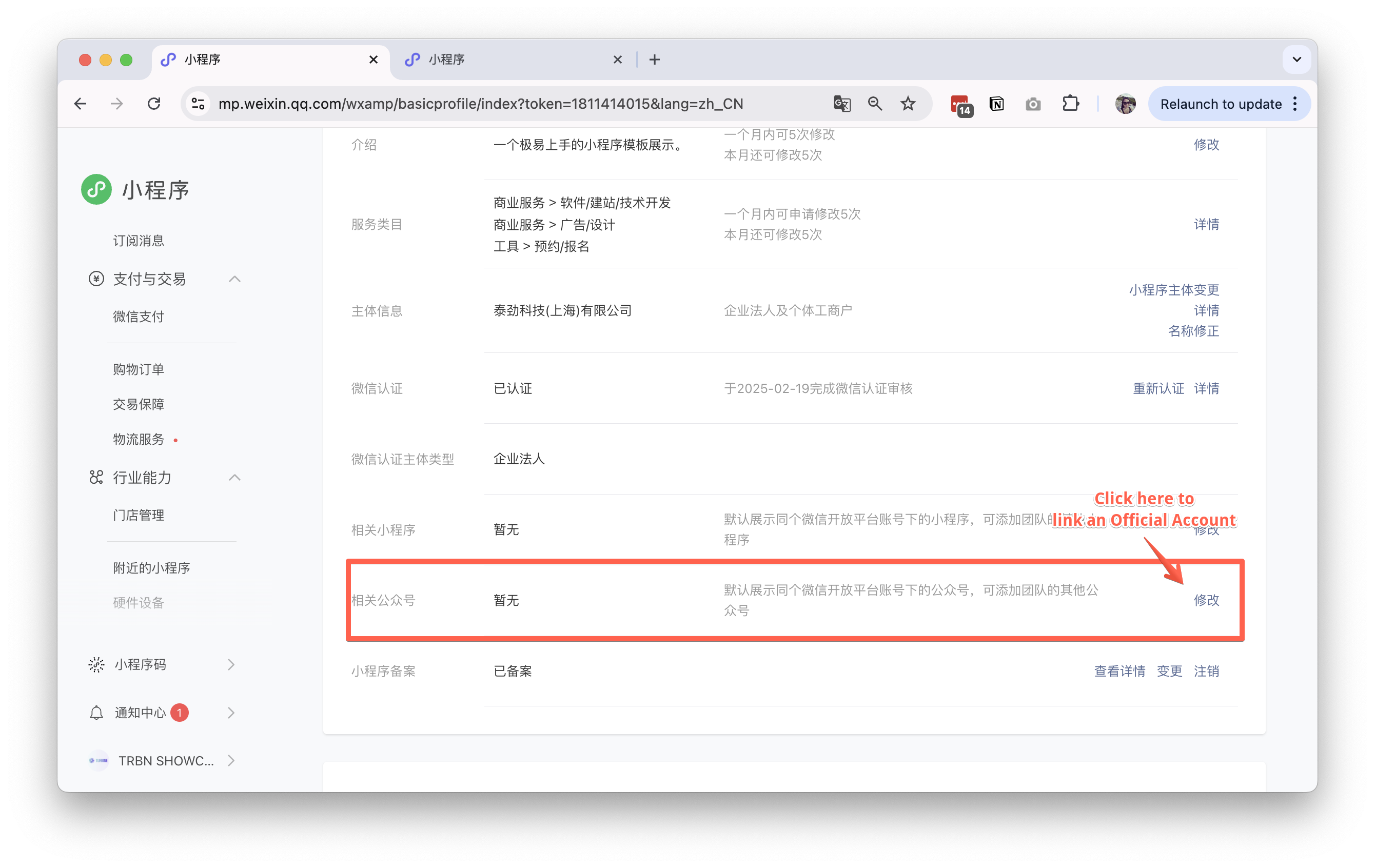
- Select the official account you want to link
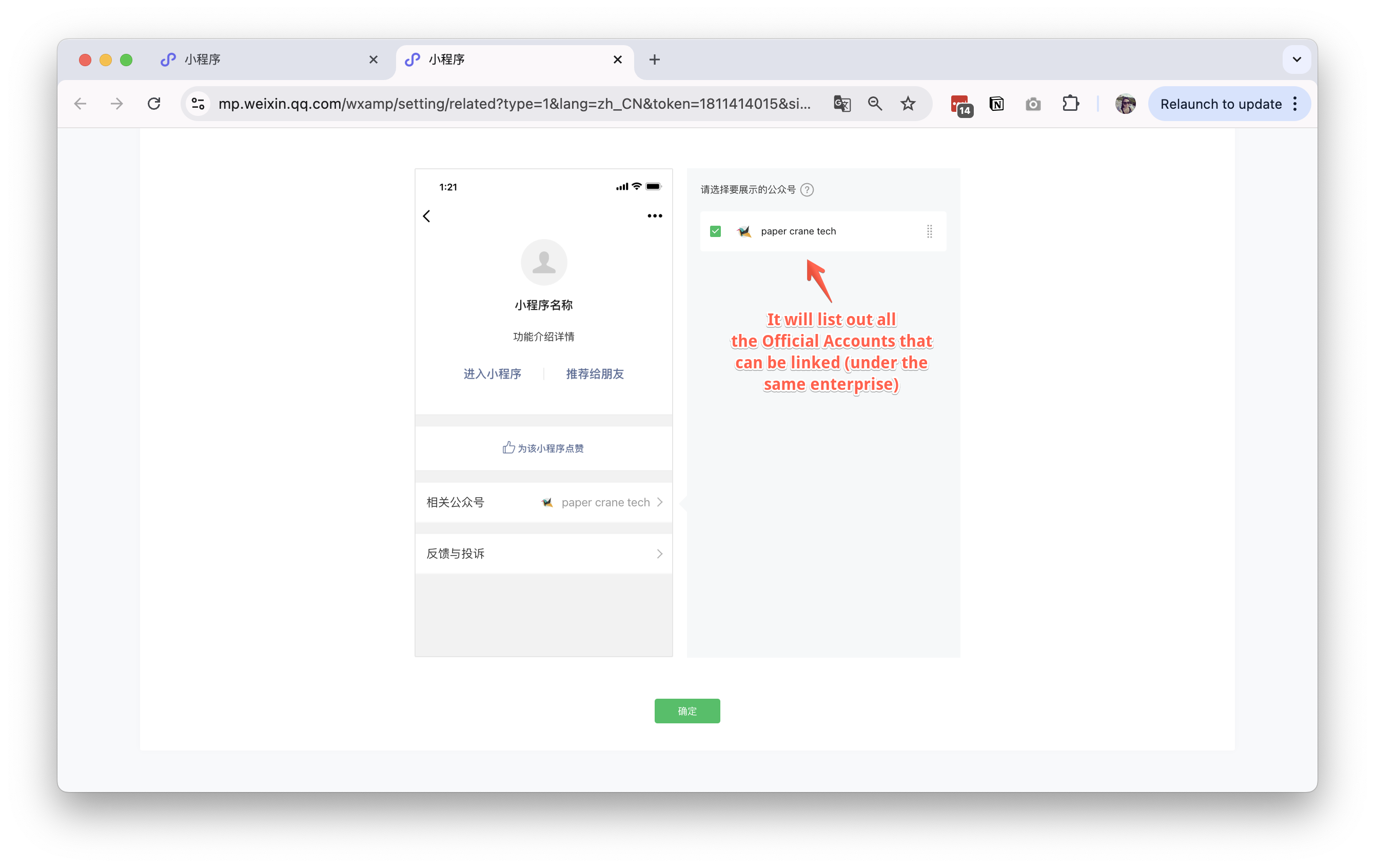
- Confirm linking relationship
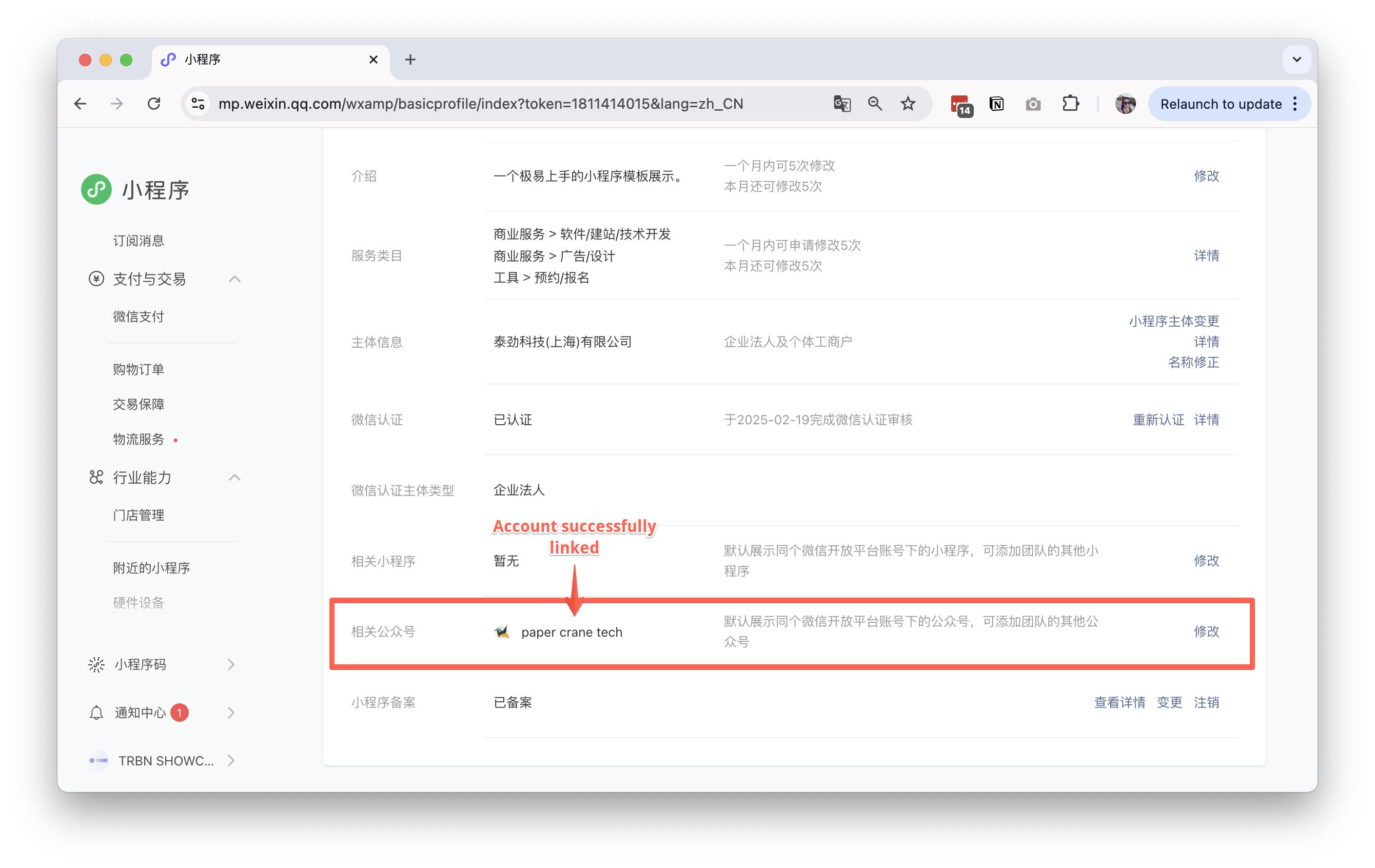
- Go to
关联设置(Linking Settings) on the same page - Turn on
引导关注公众号(Guide to Follow Official Account) and choose the Official Account you want to link